The Complete Guide to Google Review Management in 2026
The definitive guide to managing Google Business reviews in 2026. Learn proven strategies for collecting, responding to, and leveraging reviews to boost your local SEO ranking and grow revenue.
- 1. Why Google Reviews Matter More Than Ever in 2026
- 2. How Google Reviews Impact Local SEO Rankings
- 3. Setting Up Your Google Business Profile for Review Success
- 4. 10 Proven Strategies to Get More Google Reviews
- 5. How to Respond to Google Reviews: Complete Templates and Best Practices
- 6. AI-Powered Review Management: The 2026 Landscape
- 7. Industry-Specific Review Management Strategies
- 8. Handling Negative and Fake Google Reviews
- 9. Measuring, Optimizing, and Future-Proofing Your Review Strategy
Why Google Reviews Matter More Than Ever in 2026
Google reviews have become the single most influential factor in how consumers choose local businesses. According to BrightLocal's 2026 Consumer Review Survey, 98% of consumers read online reviews for local businesses, and 87% specifically check Google reviews before making a purchase decision. For local businesses — restaurants, clinics, hotels, salons, auto repair shops — reviews are no longer optional. They are the frontline of your marketing strategy.
The Revenue Impact Is Real
The connection between reviews and revenue is well-documented. A Harvard Business School study found that a one-star increase in rating was associated with a 5-9% increase in revenue for the businesses studied — that's a correlation, not a guarantee for every business. As an illustrative example, for a restaurant doing $500,000 in annual revenue, a shift of that size would represent roughly $25,000-$45,000. Businesses that actively and consistently manage their reviews tend to see measurable revenue gains over time, though the exact impact varies by industry, market, and starting point.
The size of the effect likely varies by industry too — a business where customers are making a high-trust, high-stakes decision (healthcare, for instance) probably has more riding on each star than one where a review is a minor input. We don't have credible industry-by-industry figures to back a specific number, so we won't invent one here. Use our ROI Calculator to estimate the specific revenue impact for your business type.
AI Overviews Changed Everything
2026 marks a watershed moment for review management. Google's AI Overviews now dominate search results for local queries, and these AI-generated summaries heavily reference review content. When someone searches "best Italian restaurant near me," Google's AI doesn't just list businesses — it synthesizes review data to generate narrative recommendations like "Customers consistently praise the handmade pasta and intimate atmosphere at..."
This means your reviews are no longer just star ratings on a profile. They are the raw material that Google's AI uses to decide whether to recommend your business. Businesses with detailed, keyword-rich reviews that mention specific products, services, and experiences are disproportionately featured in AI Overviews. Generic reviews like "Great place!" carry far less weight than "The lobster risotto was perfectly cooked, and our server Maria made excellent wine recommendations."
The Trust Factor
Consumer trust in online reviews remains extraordinarily high, and that trust is nuanced — consumers are getting smarter about evaluating reviews:
- Recency matters: shoppers tend to discount older reviews, treating them as a weaker signal of what it's like to be a customer today
- Volume signals legitimacy: a handful of reviews reads as insufficient evidence, regardless of how positive they are
- Response rate builds confidence: a business that visibly responds to reviews — good and bad — reads as more attentive than one that goes silent
- Star rating threshold: a strong-but-not-perfect rating often reads as more credible than a flawless 5.0 — consumers often trust businesses with a few negative reviews mixed in more than those with exclusively positive ones
The businesses that thrive in 2026 are those that treat review management not as an afterthought, but as a core business function — as important as accounting, hiring, or marketing. This guide will show you exactly how to build and execute a review management strategy that drives measurable results.
Summary: Google reviews are linked to a 5-9% swing in revenue per star (per a Harvard Business School study), dominate AI Overview recommendations, and are the #1 trust signal for 98% of consumers. Active review management is no longer optional — it's a core business function.
How Google Reviews Impact Local SEO Rankings
Understanding how Google's local ranking algorithm uses review signals is essential for any business serious about local search visibility. Reviews are now the second most important ranking factor for Google's local pack (the 3-map results), behind only Google Business Profile signals like category and NAP (Name, Address, Phone) consistency. For a deeper data-driven analysis, see our Local SEO Ranking Factors guide.
The Four Review Signals That Drive Rankings
Google's algorithm evaluates four distinct review signals, each carrying different weight:
1. Review Volume (Weight: High)
More reviews tend to outrank fewer, all else equal — though Google doesn't publish the exact weighting, so no one outside Google can responsibly put a multiplier on it. The threshold varies by category — in competitive verticals like restaurants and dentists, businesses in the top 3 positions typically have several hundred reviews, not a handful. The key insight is that volume is a lagging indicator: it reflects sustained customer engagement over time, which Google interprets as a signal of business legitimacy and popularity.
2. Average Star Rating (Weight: High)
A 4.0+ rating is the practical minimum for appearing in the local 3-pack. Small improvements in your rating tend to show up in click-through rate, though we don't have a reliable per-decimal-point figure worth quoting. However, there's a nuance: Google doesn't just look at your overall rating. It also factors in the rating trend — a business trending from 4.2 to 4.5 over 6 months signals improvement, while one dropping from 4.8 to 4.3 raises concerns.
3. Review Recency (Weight: Very High)
This is the most underestimated ranking factor. Google heavily prioritizes businesses with a steady stream of recent reviews. A business that received 50 reviews in the last month will consistently outrank one that received 200 reviews two years ago but has gone quiet since. The algorithm interprets recent reviews as evidence that a business is active, popular, and currently delivering good experiences.
Aim for at least 5-10 new reviews per week. This steady velocity signals ongoing relevance far more effectively than sporadic bursts. Tools like OwnCrew Customer Ops's QR code system help maintain consistent review velocity by making it easy for every customer to leave feedback.
4. Owner Response Rate & Quality (Weight: Medium-High)
Responding to reviews signals active management, and Google rewards it. Businesses that respond consistently tend to see better visibility than those that ignore reviews outright, even though Google doesn't publish the exact weighting. But it's not just about responding — the quality of responses matters too. Google's NLP models analyze response content for:
- Relevance: Does the response address the reviewer's specific points?
- Keywords: Do responses naturally include business-relevant terms?
- Professionalism: Is the tone appropriate, especially for negative reviews?
- Timeliness: Are responses posted within 24-48 hours?
Review Keywords and AI Overviews
A fifth, increasingly important factor is the keyword content within reviews themselves. Google's AI extracts specific service mentions, product names, and experience descriptions from reviews to populate AI Overviews. A dental practice whose reviews frequently mention "painless root canal" or "great with kids" will surface for those specific queries in AI-generated results.
This is why AI-assisted review generation — where customers select experience tags and AI helps craft detailed reviews — is so powerful. It naturally produces keyword-rich content that feeds directly into Google's understanding of what your business offers. Learn more about this approach in our AI-generated review responses guide.
Local Pack vs. Organic Results
It's worth noting that review signals impact local pack rankings differently than organic search results. For the local 3-pack (map results), reviews are the #2 factor. For organic results (the blue links below), reviews play a smaller but still significant role through:
- Rich snippets: star ratings displayed directly in search results tend to draw more clicks than a plain blue link
- Knowledge panel: Review counts and ratings displayed prominently
- AI Overviews: Review content directly quoted in AI-generated summaries
The bottom line: if you're competing for local customers, your review strategy is your SEO strategy. The two are inseparable in 2026.
Summary: Google uses four review signals for local rankings: volume (100+ reviews for competitive edge), rating (4.0+ minimum for local pack), recency (5-10 new reviews/week ideal), and response rate (80%+ target). Review keywords are increasingly important for AI Overview visibility.
Setting Up Your Google Business Profile for Review Success
Before you can effectively manage reviews, your Google Business Profile (GBP) needs to be properly optimized. Think of your GBP as the foundation — a poorly set up profile can undermine even the best review collection strategy. For a complete setup checklist, see our Review Management Checklist for New Businesses.
Claiming and Verifying Your Profile
If you haven't already, claim your Google Business Profile at business.google.com. Verification typically requires receiving a postcard at your business address, though phone and email verification are available for some business types. Unclaimed profiles are a major missed opportunity — Google may still show reviews for your business, but you can't respond to them or optimize your listing without claiming it.
Profile Optimization Essentials
A fully optimized GBP includes:
- Business name: Use your exact legal business name. Don't stuff keywords (e.g., "Joe's Pizza — Best Pizza in Chicago" violates Google's guidelines)
- Primary category: Choose the most specific category available. "Italian Restaurant" is better than "Restaurant"
- Secondary categories: Add up to 9 additional categories that accurately describe your services
- NAP consistency: Your Name, Address, and Phone number must match exactly across your GBP, website, social media, and all directory listings. Even minor differences (St. vs Street, Suite 100 vs #100) can confuse Google's algorithm
- Business hours: Keep hours accurate, including special holiday hours. Incorrect hours generate negative reviews
- Business description: Write a compelling 750-character description that naturally includes your target keywords
- Photos: Businesses with more photos tend to get more calls and direction requests than those with just a handful — photos are one of the highest-leverage, lowest-effort improvements to a listing
- Services/Products: List all services with descriptions and pricing where applicable
Generating Your Review Link
The direct review link is the most important URL for your review collection strategy. To generate it:
- Go to your Google Business Profile Manager
- Click "Home" in the left menu
- Find "Get more reviews" card
- Copy the short link provided
This link takes customers directly to the review writing interface — no searching, no navigating. Shorten it further using a custom domain (e.g., review.yourbusiness.com) or a branded short link for maximum conversion. OwnCrew Customer Ops automatically generates and manages these links for each connected business location.
Understanding Google's Review Policies
Before launching any review collection campaign, familiarize yourself with Google's review policies. Key rules include:
- No incentivized reviews: You cannot offer discounts, gifts, or rewards in exchange for reviews
- No review gating: You cannot selectively ask only happy customers for reviews while filtering out unhappy ones
- No fake reviews: Reviews must be from real customers describing genuine experiences
- No review solicitation from employees: Staff members should not review their own business
- Content restrictions: Reviews containing hate speech, personal attacks, or irrelevant content can be flagged for removal
Violating these policies can result in review removal, profile suspension, or ranking penalties. The safest approach is simple: ask every customer for an honest review, make it easy, and respond to everything.
Summary: A fully optimized Google Business Profile is the foundation for review success. Key elements include proper NAP consistency, accurate categories, a direct review link, and strict compliance with Google's review policies — no incentives, no gating, no fakes.
10 Proven Strategies to Get More Google Reviews
Getting more reviews is the #1 challenge businesses face. The good news: with the right systems in place, it's entirely solvable. Here are 10 proven collection methods — what each one is, where it fits, and what it takes to set up. For an even deeper dive, see our dedicated guide on how to get more Google reviews in 2026.
1. QR Code Review Collection
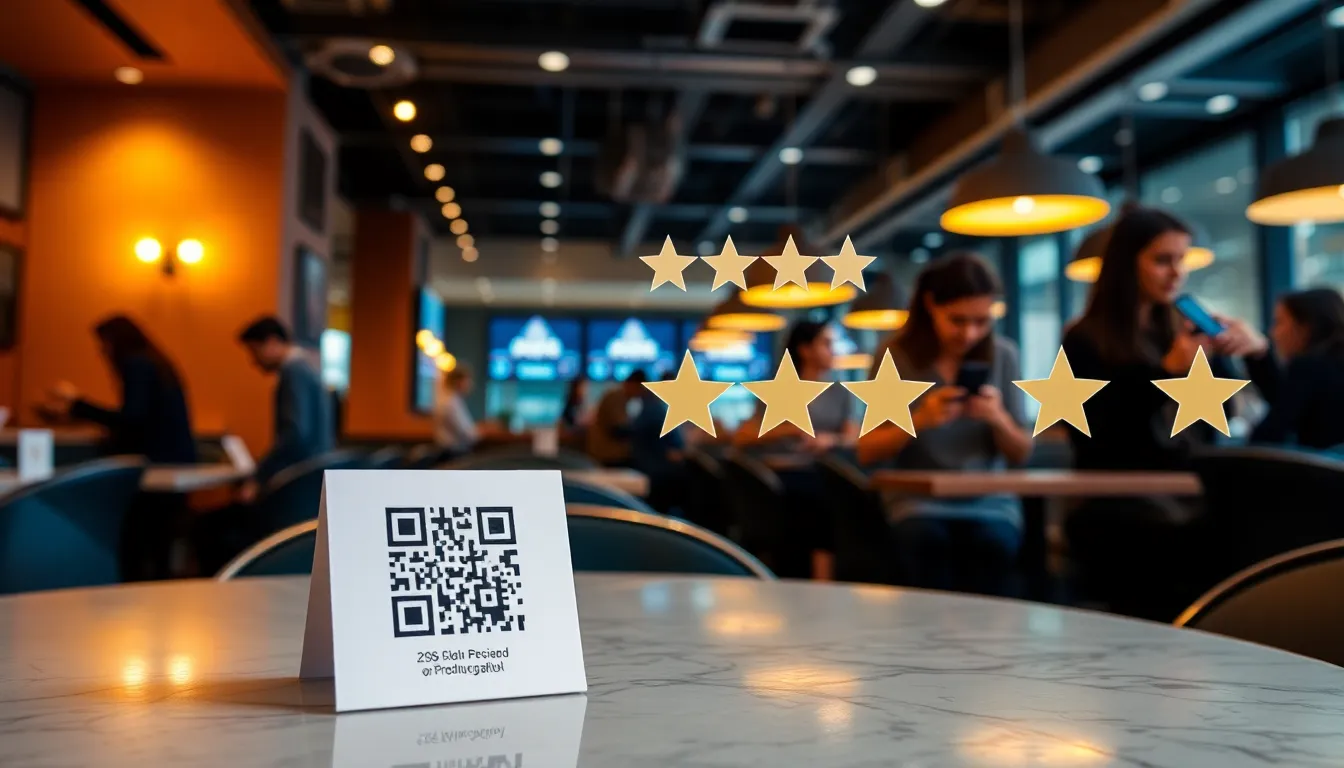
QR codes placed at strategic physical touchpoints are one of the most reliable review collection methods, because they meet the customer at the exact moment they're already holding their phone. The key is placement:
- Restaurants: Table tents, receipts, check presenters, takeout bag stickers
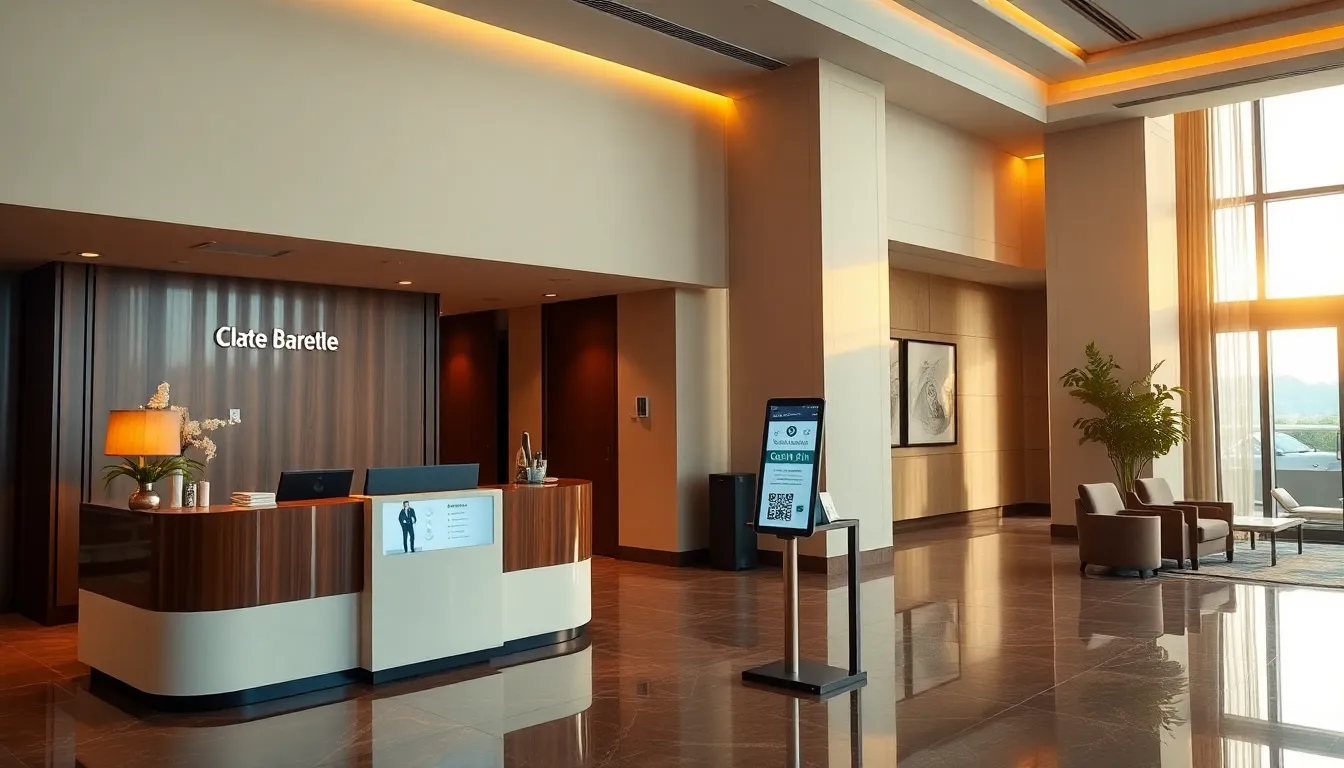
- Hotels: Checkout counter, in-room nightstand cards, elevator signage
- Clinics: Checkout desk, post-visit cards, waiting room displays
- Retail: Point-of-sale displays, shopping bag inserts, product packaging
The QR code should link directly to a review collection flow — not just a raw Google review page. With OwnCrew Customer Ops's QR system, customers scan, pick tags that describe their experience — including anything that fell short — and get an editable draft based only on what they picked, which they rework and post on Google themselves.
2. AI-Assisted Review Generation
The biggest barrier to reviews isn't willingness — it's the blank page problem: knowing you should leave a review but not knowing what to write. AI-assisted generation solves this by:
- Customer selects 3-5 experience tags (e.g., "Friendly staff," "Quick service," "Great food")
- An editable draft is generated from only the tags they picked
- The customer reworks it as they see fit, then copies the text and posts it on Google themselves
This approach respects Google's policies because the customer initiates the review, selects their own experience elements, and has full control over the final text. The AI simply removes friction.
3. Post-Visit SMS Follow-Up
Timing is critical. Send a review request via SMS 2-4 hours after the customer's visit — when the experience is still fresh but they've had time to settle. The message should be:
- Personal (use their name if available)
- Short (under 160 characters)
- Direct (include the review link, not a link to your website)
- Low-pressure ("We'd love your feedback" not "Please give us 5 stars")
4. Email Follow-Up Sequences
For businesses that collect email addresses (hotels, clinics, e-commerce), a 2-email sequence works well:
- Email 1 (2-4 hours post-visit): Short, friendly request with direct review link
- Email 2 (3 days later, only if no review): Gentle reminder with a different angle ("Your feedback helps other customers like you")
Don't send more than 2 follow-ups. Beyond that, you risk annoying the customer.
5. Staff-Initiated Verbal Requests
Train every customer-facing team member to ask for reviews naturally. The script is simple: "We really appreciate your business. If you enjoyed your experience, we'd love if you could share it on Google — it really helps us." Combine with handing them a card or showing a QR code. This is the lowest-cost method to set up, but it depends entirely on staff consistently remembering to ask.
6. NFC Tap-to-Review Tags
NFC tags eliminate the need to open a camera app — customers simply tap their phone to the tag and are taken directly to the review page. Place them on:
- Counter stands at checkout
- Table-top displays
- Business card-sized "Tap to Review" cards
- Wall-mounted plaques near exits
7. Receipt and Invoice Integration
Add a QR code or short URL to every receipt, invoice, and packing slip. This catches customers who may have forgotten about the verbal or SMS request. It's passive, low-effort, and works best as a supplement to a more active method rather than your only channel.
8. Wi-Fi Landing Page
For businesses offering free Wi-Fi (hotels, cafes, waiting rooms), add a review prompt to the Wi-Fi captive portal. After connecting, display a brief "How's your experience?" prompt with a direct link to leave a Google review. Setup usually requires coordinating with whoever manages your router or captive portal software.
9. Social Media Reminders
Periodically post review reminders on your social media channels with your direct review link. This works especially well when tied to milestones: "We just hit 200 Google reviews! Help us get to 250." It reaches existing fans rather than new customers, so treat it as a supplement, not a primary channel.
10. Post-Resolution Follow-Up
After resolving a customer complaint or going above and beyond, ask for a review. The customer has just experienced you handling a problem well, which tends to produce more detailed, authentic reviews — often ones that specifically mention how the issue was handled.
Strategy Comparison
| Strategy | Best Fit | Setup Effort | Ongoing Cost |
|---|---|---|---|
| QR Codes | Any physical location | Low | Low |
| AI-Assisted | Any business collecting reviews digitally | Medium | Medium |
| SMS Follow-Up | Businesses that collect phone numbers | Medium | Medium |
| Email Sequence | Hotels, clinics, e-commerce | Medium | Low |
| Verbal Request | Any business with customer-facing staff | Low | None |
| NFC Tags | High foot-traffic counters | Low | Low |
| Receipt QR | Any business that prints receipts | Low | None |
| Wi-Fi Portal | Hotels, cafes, waiting rooms | High | Low |
| Social Media | Businesses with an active following | Low | None |
| Post-Resolution | Any business handling complaints | Low | None |
The most effective approach combines 3-4 of these strategies rather than relying on just one. For restaurants, we recommend QR codes + AI-assisted generation + staff requests. See our restaurant-specific playbook for a detailed 90-day implementation plan.
Summary: No single review collection method works alone. QR codes and AI-assisted generation are the most versatile starting points for most businesses. The most effective approach combines 3-4 strategies — pick the ones that fit your existing customer touchpoints rather than trying to run all ten at once.
How to Respond to Google Reviews: Complete Templates and Best Practices
Responding to reviews is not optional — it's a ranking factor, a trust signal, and a customer retention tool all in one. Businesses that respond to reviews tend to be perceived as more attentive and trustworthy than those that don't — yet plenty of businesses respond to only a fraction of their reviews. This is a massive competitive advantage for those who do. For a deep dive into AI-powered responses, see our AI review reply best practices guide.
The Response Framework: ATAR
Use the ATAR framework for structuring every review response:
- A — Acknowledge: Thank the reviewer and recognize their specific feedback
- T — Touch on specifics: Reference something unique from their review (a menu item, staff member, or specific experience)
- A — Add value: Share relevant information, an upcoming event, or a recommendation for their next visit
- R — Reinvite: Warmly invite them to return
Positive Review Response Templates
Template 1: Restaurant (Warm & Personal)
"Thank you so much, [Name]! We're thrilled to hear you enjoyed the [specific dish]. Our chef takes great pride in that recipe. We loved having you and your family with us — please come back soon and try our new seasonal menu!"
Template 2: Hotel (Professional & Appreciative)
"Dear [Name], thank you for your wonderful review. We're delighted that our team made your stay memorable. It's feedback like yours that motivates our staff every day. We look forward to welcoming you back on your next visit to [City]."
Template 3: Clinic (Warm & Compliant)
"Thank you for taking the time to share your experience, [Name]. We're so glad to hear that you felt comfortable and well-cared for. Our team works hard to create a welcoming environment. We look forward to seeing you at your next visit!"
Notice that the clinic template never references medical procedures or confirms the reviewer is a patient — this is essential for HIPAA compliance.
Negative Review Response Templates
Negative reviews require a different approach. Speed is critical — respond within 24 hours. The goal is not to win the argument but to demonstrate professionalism to the hundreds of potential customers who will read your response.
Template 1: Service Issue
"[Name], thank you for your honest feedback. We're sorry that your experience didn't meet your expectations, and we take your comments about [specific issue] seriously. We've shared this with our team to address immediately. We'd love the opportunity to make this right — please reach out to us directly at [email/phone] so we can discuss this further."
Template 2: Wait Time / Operational Issue
"Hi [Name], we sincerely apologize for the long wait during your visit. We know your time is valuable, and we're actively working on [specific improvement — e.g., adding staff during peak hours, implementing a reservation system]. We hope you'll give us another chance to show you the experience we're known for."
Template 3: Factual Dispute (Handle with Extreme Care)
"Thank you for your feedback, [Name]. We're concerned to hear about your experience, as it doesn't align with our usual standards. We'd like to learn more about what happened and work toward a resolution. Please contact our manager [Name] at [contact info] so we can investigate and address this properly."
What Never to Do in Responses
- Never argue or get defensive: Even if the customer is wrong, arguing publicly makes you look bad
- Never reveal private information: Don't share details about transactions, appointments, or medical procedures
- Never use generic copy-paste responses: Identical responses across 50 reviews look worse than no response at all
- Never blame the customer: Even if they contributed to the problem, take the high road
- Never offer compensation publicly: "Come in for a free meal" in a public response can trigger a flood of fake negative reviews seeking free stuff
For more on handling challenging negative reviews, see our negative review management guide.
AI-Powered Response Workflow
Manually crafting unique responses for 50+ reviews per month is unsustainable. The optimal workflow combines AI efficiency with human judgment:
- AI drafts the response using the review content, your brand voice settings, and the ATAR framework
- Manager reviews the draft in 30 seconds (vs. 5 minutes writing from scratch)
- Personal touch added: Manager inserts one specific detail not in the AI draft
- Publish: Response goes live within hours, not days
This workflow cuts response time dramatically compared to writing every reply from scratch, while maintaining quality and personalization. OwnCrew Customer Ops's AI response system handles step 1 automatically, presenting drafts in a queue for rapid review and approval.
Response Time Benchmarks
| Review Type | Target Response Time | Priority |
|---|---|---|
| 1-star reviews | Under 4 hours | Critical |
| 2-star reviews | Under 12 hours | High |
| 3-star reviews | Under 24 hours | Medium |
| 4-5 star reviews | Under 48 hours | Standard |
Summary: Use the ATAR framework (Acknowledge, Touch specifics, Add value, Reinvite) for every response. Respond within 24 hours, never argue publicly, and combine AI drafting with human review for scalable quality. Plenty of businesses fall short of responding to most of their reviews — doing so consistently is a real competitive advantage.
AI-Powered Review Management: The 2026 Landscape
Artificial intelligence has fundamentally transformed review management from a manual, reactive task into a proactive, scalable system. In 2026, AI doesn't just help you respond faster — it helps you collect better reviews, extract deeper insights, and predict reputation trends before they become problems. For a detailed comparison of available platforms, see our AI review management tools comparison.
AI Review Generation
The most impactful application of AI in review management is helping customers write better reviews. The traditional flow — customer clicks review link, stares at blank text box, gives up — loses most customers at exactly that blank-page moment. AI-assisted generation changes the flow:
- Customer selects from curated experience tags (e.g., "Excellent coffee," "Cozy atmosphere," "Fast service")
- AI combines those selections with contextual information (business type, location, time of visit) to generate a natural, detailed review
- Customer reviews the draft, makes edits, and posts
This approach removes the blank-page problem that kills most review requests before they start. This approach also tends to produce more detailed, keyword-rich reviews that perform better in Google's algorithm and AI Overviews.
Is this compliant with Google's policies? Yes, when implemented correctly. The customer initiates the review, selects their own experience elements, has full editorial control over the final text, and can modify or reject the AI suggestion entirely. The AI serves as a writing assistant, not a review fabricator.
AI Response Drafting
As covered in the previous section, AI response drafting has become the industry standard. Modern AI systems go beyond simple template filling:
- Sentiment analysis: AI detects whether a review is positive, negative, or mixed, and adjusts tone accordingly
- Entity extraction: AI identifies specific mentions (staff names, products, services) and references them in the response
- Brand voice matching: AI learns your communication style from previous responses and maintains consistency
- Multi-language support: AI generates responses in the reviewer's language, crucial for businesses in multilingual markets
OwnCrew Customer Ops's AI drafting engine is built to produce responses that need minimal editing before a manager publishes them, so the review queue moves fast instead of piling up.
Sentiment Analysis and Trend Detection
Beyond individual review management, AI excels at pattern recognition across your entire review corpus. Sentiment analysis tools can:
- Identify emerging issues: Detect when a previously positive keyword (e.g., "service") starts appearing in negative contexts
- Track competitor sentiment: Compare your review sentiment against local competitors
- Predict rating changes: Alert you when review trends suggest your rating may drop
- Surface operational insights: Reveal that a specific complaint — parking, say — is clustering in your negative reviews, pointing to a concrete fix
Visual tools like word clouds and sentiment dashboards make these insights accessible to non-technical business owners.
The Human-AI Balance
Despite AI's capabilities, human oversight remains essential. The optimal model is "AI-assisted, human-approved":
- AI handles: First drafts, sentiment classification, keyword extraction, trend alerts, multilingual translation
- Humans handle: Final approval of negative review responses, escalation decisions, strategic changes based on insights, brand voice refinement
Businesses that go fully automated (publishing AI responses without review) see diminishing returns — responses become repetitive, miss nuance, and occasionally make inappropriate suggestions. The sweet spot is having AI handle the repetitive first-draft work while humans provide the judgment and personalization that keeps it from feeling robotic.
Choosing an AI Review Management Platform
When evaluating platforms, prioritize these features:
- Google Business Profile integration: Direct API connection for real-time review monitoring and response publishing
- AI quality: Does the AI produce varied, contextual responses, or repetitive templates?
- Multi-location support: Can it manage reviews across 10, 50, or 500+ locations?
- Analytics depth: Sentiment tracking, competitor comparison, trend alerts
- Review collection tools: QR codes, NFC, SMS integration, email campaigns
- Pricing transparency: Per-location pricing vs. flat rate vs. review volume tiers
For a detailed comparison of the top platforms available in 2026, including pricing and feature breakdowns, read our comprehensive tools comparison guide.
Summary: AI transforms review management through three key applications: review generation (removing the blank-page problem that kills most requests), response drafting (fast, low-edit first drafts), and sentiment analysis (pattern detection across thousands of reviews). The optimal model is "AI-assisted, human-approved" — AI handles the repetitive first-draft work, humans provide the judgment.
Industry-Specific Review Management Strategies
While the fundamentals of review management apply universally, each industry has unique challenges, compliance requirements, and customer expectations. Here's how to adapt your strategy for the major verticals.
Restaurants and Food Service
Restaurants operate in one of the most review-intensive environments — high transaction volume and frequent repeat visits mean more chances to ask. Businesses running an active collection strategy consistently pull in more weekly reviews than those relying on customers to volunteer one unprompted. Key considerations:
- Timing is everything: Ask for reviews right after the meal, not the next day. Satisfaction peaks during dessert or when the check arrives
- Visual reviews matter: Encourage photo reviews — listings with customer photos tend to stand out and draw more engagement than text-only ones
- Menu keyword optimization: Train your AI to suggest reviews that mention specific dishes, as these feed directly into Google's "popular dishes" feature
- Seasonal variation: Update your experience tags seasonally (patio dining in summer, holiday specials in winter)
For a complete 90-day implementation plan for restaurants, including QR code placement strategy and staff training scripts, see our Restaurant Google Review Strategy guide.
Healthcare and Dental Practices
Healthcare reviews require careful compliance navigation. The fundamental rule: you can encourage reviews, but you can never reference a patient's medical information in your response — even if they shared it in their review.
- HIPAA-safe responses: Use templates that thank patients without confirming they are patients. "Thank you for sharing your experience with us" is safe. "We're glad your root canal went smoothly" is not
- Waiting room, not exam room: Place QR codes in checkout and waiting areas, never in examination rooms
- General experience tags only: Use tags like "Friendly staff," "Clean facility," "Short wait" — never "Great root canal" or "Painless filling"
- No incentives: Healthcare ethics guidelines and Google's policies both prohibit offering any incentive for reviews
- Privacy in responses: Never confirm or deny that someone is your patient in a response
For comprehensive compliance guidance, read our clinic and medical practice review guide.
Hotels and Hospitality
Hotel reviews directly impact booking rates and average daily rates. The stakes are particularly high because:
- OTA dependence: Positive Google reviews drive direct bookings, saving you the 15-25% commission charged by Booking.com and Expedia
- Long-form reviews: Hotel guests tend to write longer, more detailed reviews covering multiple aspects (room, service, location, amenities)
- International guests: Multi-language support is essential — your AI must respond in the reviewer's language
- Season-dependent satisfaction: Be prepared for lower ratings during renovation periods or peak seasons with reduced service quality
Key touchpoints: post-checkout email, in-room NFC tags, Wi-Fi landing pages, and front desk verbal requests. See our Hotel Review Management Playbook for detailed implementation.
Multi-Location Businesses
Managing reviews across multiple locations introduces complexity: inconsistent brand voice, varying performance, and the need for centralized analytics.
- Location-specific dashboards: Each location needs its own review feed and metrics
- Centralized brand voice: AI ensures consistent response quality across all locations
- Performance benchmarking: Compare review metrics across locations to identify underperformers
- Regional customization: Experience tags and review suggestions should reflect local offerings
- Escalation workflows: Set up alerts so regional managers are notified of 1-2 star reviews at their locations
For a complete guide to managing reviews across multiple locations, see our multi-location business review management guide.
Professional Services (Law, Accounting, Consulting)
Professional services face unique review challenges:
- Confidentiality: Like healthcare, you must never reference client matters in responses
- Lower review volume: Professional services see fewer reviews overall, so each one carries more weight
- Long decision cycles: Potential clients research extensively — your review profile needs to tell a compelling story
- Expertise demonstration: Responses should subtly showcase your knowledge and professionalism
Summary: Each industry requires a tailored approach: restaurants focus on speed and menu keywords, healthcare on HIPAA compliance, hotels on multi-language and OTA reduction, multi-location on centralized management, and professional services on confidentiality and expertise demonstration.
Handling Negative and Fake Google Reviews
Negative reviews are inevitable — even the best businesses receive them. What matters is how you handle them. A well-managed negative review can actually build more trust than a generic positive one, because it demonstrates your commitment to customer satisfaction. For an in-depth guide, see our negative review management resource.
The Psychology of Negative Reviews
Before reacting, understand why negative reviews actually help your business:
- Authenticity signal: A profile with 100% positive reviews tends to look suspicious. Consumers often trust a strong-but-imperfect rating more than a flawless 5.0 profile
- Improvement roadmap: Negative reviews are free customer research. They tell you exactly what to fix
- Recovery opportunity: customers who complain and get a resolution that actually satisfies them are often willing to give you another chance — a fast, genuine resolution tends to matter more than a flawless first experience
- Response showcase: Your response to a negative review is read by far more people than just the original reviewer. It's a public demonstration of your values
The 5-Step Negative Review Response Process
Step 1: Don't react emotionally
Read the review, step away for 10 minutes, then craft your response with a clear head. Emotional responses are the #1 cause of reputation damage.
Step 2: Acknowledge and apologize
Even if you disagree with the review, acknowledge the customer's experience. "We're sorry your experience didn't meet expectations" doesn't admit fault — it shows empathy.
Step 3: Address the specific issue
Don't use generic responses. If they complained about cold food, address cold food specifically. This shows you read and care about their feedback.
Step 4: Offer a resolution path
Provide a specific next step: "Please call our manager Sarah at [number]" or "Email us at [address] so we can make this right." Taking it offline prevents a public back-and-forth.
Step 5: Follow through internally
The response is only the beginning. Assign the issue to the responsible team member, track resolution, and use the feedback to improve operations.
Detecting and Removing Fake Reviews
Fake reviews — whether from competitors, disgruntled ex-employees, or review manipulation services — are a growing problem. Here's how to identify and handle them:
Red flags for fake reviews:
- Reviewer has no photo or review history
- Review is extremely generic with no specific details about your business
- Multiple negative reviews appear within a short timeframe from similar accounts
- Reviewer has never been a customer (check your records)
- Review describes services you don't offer
Removal process:
- Flag the review through Google Business Profile → Reviews → Flag as inappropriate
- Select the specific policy violation (spam, fake, conflict of interest, etc.)
- Document your evidence (transaction records showing the reviewer was never a customer)
- If Google doesn't act, submit a formal appeal through the Google Business support channel
- Meanwhile, respond professionally without accusing the reviewer of being fake
Google does act on some flagged reviews, though there's no published data on your odds or the typical timeline — treat flagging as worth doing, not as a guaranteed fix. For detailed guidance on the detection and removal process, see our fake review detection and removal guide.
Turning Negative Reviews into Positive Outcomes
The most successful businesses view negative reviews as opportunities:
- Operational improvement: Track negative review themes monthly. If "wait time" keeps appearing, it's time to address staffing or processes
- Staff training: Use anonymized negative reviews as training material
- Customer recovery: Reach out privately, resolve the issue, and the customer may update their review to positive
- Content for improvement: Negative patterns inform your FAQ, website content, and staff training programs
Summary: Negative reviews build authenticity (a strong-but-imperfect rating tends to read as more credible than a flawless one), provide free customer research, and offer recovery opportunities (a fast, genuine resolution often wins back a complaining customer). Handle them with the 5-step process: don't react emotionally, acknowledge, address specifics, offer resolution, and follow through. Flag fake reviews for removal when you have real evidence.
Measuring, Optimizing, and Future-Proofing Your Review Strategy
A review management strategy without measurement is just guesswork. To continuously improve, you need to track the right metrics, benchmark against competitors, and adapt to emerging trends. For related reading, see our guides on review ROI analysis and customer feedback loops.
The 7 Key Metrics to Track Monthly
1. Review Volume (New Reviews/Month)
Track the total number of new reviews received each month, and watch the trend more than any single month's total. What counts as "good" volume depends heavily on your customer traffic and how consistently you're asking — see the baseline note below rather than chasing a generic target.
2. Average Star Rating
Your overall rating and the monthly average of new reviews. The monthly average tells you whether current customers are having better or worse experiences than historical ones. A 4.5 that's trending to 4.3 needs attention before it hits your ranking.
3. Review Velocity (Reviews/Week)
More important than total volume is the rate of new reviews. Google's algorithm weights recent reviews heavily, so consistent weekly velocity (5-10+ reviews/week) matters more than sporadic bursts. Track velocity weekly, not just monthly.
4. Response Rate
Percentage of reviews that received an owner response. Target: 100%. Every unresponded review is a missed opportunity for engagement, SEO benefit, and customer retention. With AI-assisted tools, there's no reason not to respond to every review.
5. Average Response Time
How quickly you respond to reviews on average. Target: under 24 hours for negative reviews, under 48 hours for positive ones. Fast responses signal active management and build consumer trust.
6. Sentiment Distribution
The breakdown of positive, neutral, and negative sentiment across your reviews. Track this over time to spot trends. A shift from 80/10/10 to 70/15/15 indicates growing customer dissatisfaction that needs investigation.
7. Keyword Frequency
Which words and phrases appear most often in your reviews? Track your top 20 keywords monthly. Rising positive keywords ("friendly staff," "quick service") confirm strengths. Rising negative keywords ("wait time," "parking") highlight areas for improvement. Sentiment analysis dashboards make this tracking automated.
Set Your Own Baseline Instead of Chasing a Benchmark
You will find "industry benchmark" tables all over the internet claiming a restaurant should get a specific number of reviews per month. Treat them with suspicion — including any you find here. Review volume depends on foot traffic, ticket size, how often people return, and whether anyone is actually asking. A neighbourhood cafe and a destination steakhouse have nothing useful in common on this axis.
The number that matters is your own, measured before you change anything. Write down what the last three months looked like — new reviews per month, average rating on new reviews only, response rate, typical response time — and compare against that. It is the only comparison where the other side of the equation is genuinely like-for-like.
The Review Flywheel: A Compounding Strategy
The most powerful review strategy isn't linear — it's a flywheel that compounds over time:
- Collect reviews through QR codes, NFC, SMS, and AI assistance
- Respond to every review within 24 hours using AI-assisted drafts
- Analyze sentiment and keyword trends to identify strengths and weaknesses
- Improve operations based on review insights
- Repeat — better operations lead to better reviews, which lead to better rankings, which lead to more customers, which lead to more reviews
The point of the loop is that step 4 feeds step 1: fixing a real problem gives future customers something better to describe. We are not going to put a multiplier on that — how much it moves depends on where you are starting and whether the fixes are real.
Future Trends to Watch
Video Reviews: Google is testing video review support in select markets. Businesses should prepare by encouraging customers to share video testimonials. Video reviews carry higher trust signals and are likely to receive preferential treatment in AI Overviews.
Cross-Platform Consolidation: AI tools are increasingly aggregating reviews from Google, Yelp, Facebook, TripAdvisor, and industry-specific platforms into unified dashboards. This enables holistic sentiment analysis and consistent response management across all platforms.
Predictive Reputation Management: Next-generation AI systems will predict reputation risks before they materialize — identifying patterns in review trends, social media mentions, and operational data that suggest a rating decline is coming. This allows businesses to intervene proactively.
AI Overview Optimization: As Google's AI Overviews become the primary way consumers discover local businesses, optimizing review content for AI extraction becomes a distinct discipline. Businesses will need to ensure their reviews contain the specific, detailed language that AI models prefer to cite.
Getting Started Today
If you're new to review management, here's your action plan:
- This week: Claim and optimize your Google Business Profile. Set up your direct review link.
- Next week: Deploy QR codes at your top 3 customer touchpoints. Connect OwnCrew Customer Ops to start AI-assisted review collection.
- Month 1: Establish your response workflow. Train staff on the review request process. Set up sentiment monitoring.
- Month 2-3: Refine based on data. A/B test different collection strategies. Expand touchpoints.
- Ongoing: Review metrics weekly, adjust strategy monthly, and let the flywheel compound.
Ready to start? Use our ROI Calculator to estimate the revenue impact for your specific business, then create your free account to set up your first QR code in under 2 minutes. Or explore our full review management checklist for a step-by-step launch guide.
Summary: Track 7 key metrics monthly: volume, rating, velocity, response rate, response time, sentiment distribution, and keyword frequency. Implement the review flywheel (collect → respond → analyze → improve → repeat) for compounding growth. Watch for video reviews, cross-platform consolidation, and AI Overview optimization as emerging trends. Start with your GBP optimization, deploy QR codes, and let the flywheel compound.
References
- [1]Google Business Profile Help: Reviews — Google
- [2]Google Business Profile: Edit Your Profile — Google
- [3]Online Reviews Statistics and Trends — ReviewTrackers
- [4]Online Review Statistics — Podium
- [5]Local Business Structured Data — Google Developers
- [6]Review Snippet Structured Data — Google Developers
Frequently Asked Questions
How many Google reviews do I need to rank in the local pack?+−
Is it against Google's policy to ask customers for reviews?+−
How quickly should I respond to Google reviews?+−
Can AI-generated review responses hurt my Google ranking?+−
What is the difference between review management and reputation management?+−
How do I handle a fake or spam Google review?+−
Is review management worth the investment for a small business?+−
Know what needs attention.
OwnCrew Customer Ops brings customer feedback from every location into one place, shows you what keeps coming up, and tracks whether the fix worked.
Start 14-day free trial