Review Management Checklist: New Business Starter Guide
A complete review management checklist for new businesses. Learn how to set up your first reviews ethically, build a 90-day strategy, and use tools like QR codes to automate collection and boost local SEO.
Your 90-Day New Business Review Management Checklist
A business with few or no Google reviews is at a real disadvantage against competitors with a stronger review presence. Potential customers routinely use review count and rating as a first filter before they ever walk in or call. For a new business, this isn't just a marketing problem, it's an existential threat. Your online reputation is your new storefront, and the first few months determine whether you attract a crowd or face an empty room. Many new owners think reviews will come naturally. They don't. A 2025 study by BrightLocal found that 70% of consumers will leave a review if asked, but only 6% do so unprompted. This gap represents your biggest opportunity. Building a review strategy from day one is not optional, it's a core business operation, as critical as hiring your first employee or setting your prices. This guide provides a tactical, day-by-day checklist. We'll move from setting up your Google Business Profile to collecting your first 10 ethical reviews, then scaling to a system that generates consistent, high-quality feedback. The goal is to build social proof that drives walk-ins and phone calls, while establishing a process that protects your reputation from day one. For a deeper analysis of how this directly impacts your revenue, see our article on Review Management ROI.
Set up your Google Business Profile completely, ethically ask for your first 10 reviews from known customers, then implement a QR code and email system to automate ongoing collection. Start by claiming and optimizing your Google Business Profile (GBP) with photos, services, and accurate hours. In your first two weeks, create a direct review link and ask close contacts who have genuinely used your service for feedback. Do not offer incentives for reviews, as this violates Google's Review Policy. By month's end, train your staff on how to ask for reviews and set up a simple QR code system at your point of sale. By month three, your focus shifts to monitoring and analytics. Use your GBP dashboard or a dedicated tool to track sentiment, respond to all reviews within 24 hours, and identify common complaints. Adjust your service or communication based on this feedback. This turns review management from a reactive task into a proactive business improvement engine. Our Complete Guide to Google Review Management breaks down each of these phases in detail.
This checklist provides a week-by-week roadmap. Adhering to this timeline helps new businesses build a steady base of legitimate reviews during their first quarter, which supports local search visibility and customer trust.
Week 1: Foundation and Setup Your first week is about building the digital infrastructure.
A complete Google Business Profile is your single most important asset for local visibility and review collection. Claim and Verify Your Google Business Profile
If you haven't already, search for your business name on Google. If a listing exists, click "Claim this business." If not, go to Google Business Profile and create one. Verification is typically done by postcard, which can take 5-7 business days. Begin this process immediately. While waiting, prepare all your profile information. Optimize Every Profile Section
A complete profile is far more likely to attract reviews because it appears legitimate and active. Customers are more willing to engage with, and trust, a business that clearly looks cared-for. Upload at least 10 high-quality photos: exterior, interior, team, and key products/services. Write a detailed business description using keywords customers would search for. Select all relevant categories. Ensure your name, address, phone number (NAP), and hours are 100% accurate and consistent with your website and other directories. Enable messaging if you can manage responses. Create Your Review Generation Toolkit
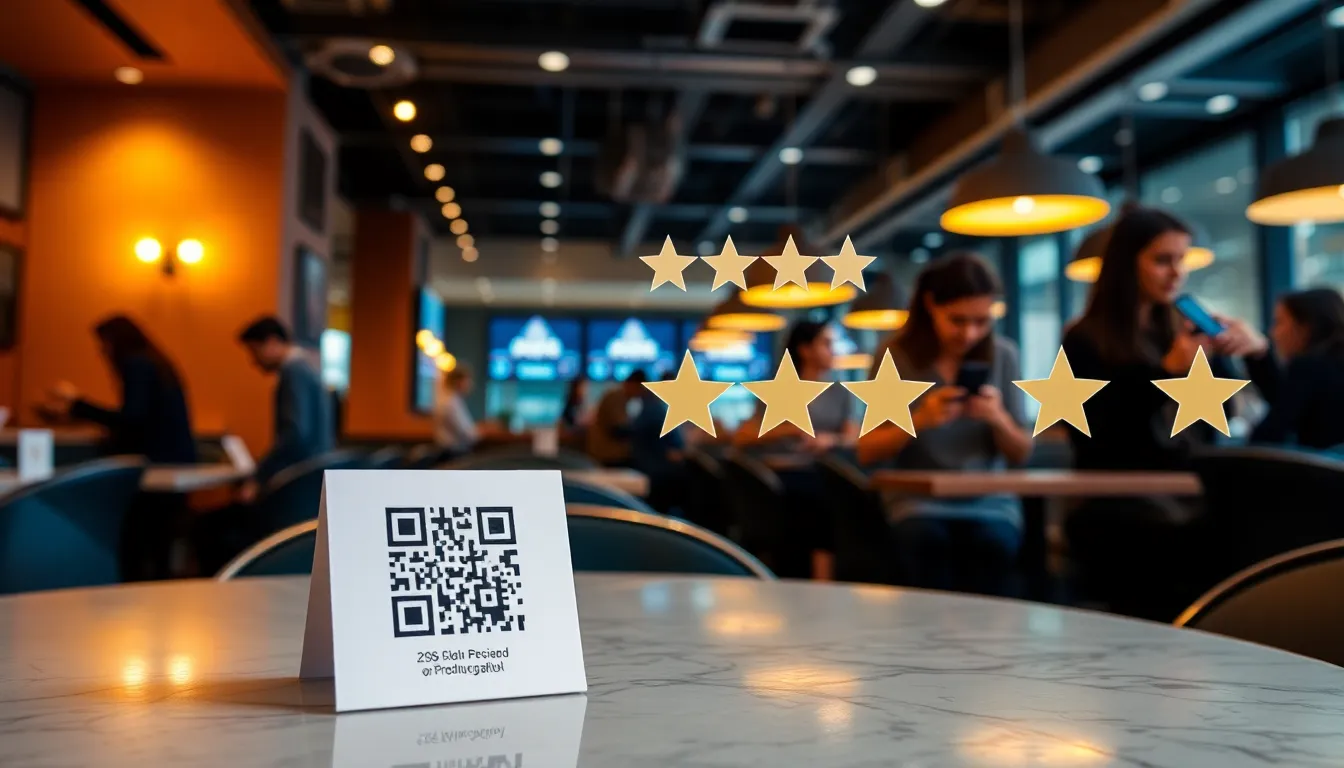
Once verified, generate your direct review link. In your GBP dashboard, navigate to the "Get more reviews" section. This provides a unique, short URL that takes customers directly to your review interface. Bookmark this. Next, design a simple QR code that links to this URL. You can use free generators like QRCode Monkey. Place this QR code on a stand at your front desk, on receipts, or on table tents. For a dedicated setup guide, our post on QR Code Review Collection walks through best practices.
Summary: Week 1 is dedicated to foundational setup. A fully optimized Google Business Profile and a ready-to-use QR code linked to your review page are essential. Completing these steps before opening makes your profile review-ready from day one, so the reviews from your earliest customers aren't lost to a half-finished listing. This groundwork makes asking for reviews in Week 2 smooth.
Week 2: Securing Your First 10 Ethical Reviews
The first reviews are critical. Google's algorithms view businesses with no reviews with skepticism, while 10+ reviews trigger higher local pack visibility. Your goal is to get to 10 genuine reviews quickly and ethically. Identify Your First Reviewers
Do not buy reviews or post fake ones. This will get your listing suspended. Instead, make a list of 20-30 people who have already experienced your service or product. This includes friends, family, vendors, or beta testers. The key is that the interaction must be real. When you ask, remind them of the specific service they received. For example, "Hi [Name], thanks for being one of our first customers for [specific service] last week. Would you be willing to share your experience on our Google page?" The Ask and The Process
Send a personalized email or text. Include your direct review link. Make it easy. You can say, "Your honest feedback helps us a lot. Click here to leave a review: [Your Review Link]." Avoid generic blasts on social media. One-on-one requests consistently outperform generic blasts because they feel personal rather than transactional. Do not offer discounts, freebies, or cash in exchange for the review. You can say, "We're not offering anything for your review except our sincere thanks, as Google's guidelines require all reviews to be unbiased." Craft Your First Response Templates
You must respond to every review, positive or negative. Prepare two to three template responses that you can personalize. For a positive review: "Thank you so much, [Customer Name]! We're thrilled you enjoyed [specific thing they mentioned]. We look forward to serving you again soon." For a negative review (which you will get): "Thank you for your feedback, [Customer Name]. We're sorry to hear about your experience with [specific issue]. We'd like to learn more and make it right. Please contact us directly at [phone/email]." Store these in a document for quick access. For a full library of response strategies, read our guide on How to Respond to Negative Reviews.
Summary: The first 10 reviews must be from real customers acquired through direct, ethical requests. Personalized messages referencing a genuine experience yield the best results. Preparing response templates in advance ensures you can reply professionally within hours, showing potential customers you are engaged and care about feedback.
Weeks 3-4: Systematizing and Training
With your first reviews live, shift from a one-time project to building a repeatable system. This involves your team and basic automation. Formalize Staff Training on Review Requests
Your frontline staff are your most powerful review generators. Conduct a 15-minute training session. Role-play the ask. Teach them to say, "We're so glad you enjoyed your [product/service]. If you have a moment, would you be willing to share your feedback online? It helps our small business." Show them where the QR code is located. Empower them to hand a card with the QR code or send a follow-up text with the link. Recognize staff who are frequently named in positive reviews for great service. Base recognition on the quality of the experience they created, not on how many reviews they personally generate, which can pressure staff into over-asking. Set Up Your First Level of Automation
Manual requests won't scale. Implement a simple, automated email or SMS sequence. If you use a point-of-sale (POS) system like Square or Clover, explore built-in review request features. For service businesses, use your booking software (Calendly, Acuity) to trigger a review request email 24-48 hours after appointment completion. The email should include the direct review link and the QR code image. Tools like OwnCrew Customer Ops can streamline this by allowing customers to scan a QR code, select experience tags (e.g. "Great Service," "Amazing Food"), and land directly on your Google review page ready to write, reducing friction. Establish a Monitoring Routine
Set a daily calendar reminder to check your Google Business Profile for new reviews. Use the GBP app on your phone for notifications. Respond to every new review within 24 hours, ideally sooner. This public engagement signals to both customers and Google that your business is active. Start a simple spreadsheet to log review dates, ratings, and common themes mentioned (e.g. "wait time," "product quality").
Summary: Systematizing in Weeks 3-4 locks in gains. Training staff integrates review generation into your service cycle, while basic email/SMS automation ensures consistent asks. Daily monitoring and response, completed in under 10 minutes, protect your reputation and provide early insights into operational strengths and weaknesses.
Month 2: Activating Your Review Collection System Month two is about activation
and volume. Your systems are in place, now you need to maximize their reach and efficiency. Launch Multi-Channel Review Requests
Don't rely on a single method. Layer your requests:
- In-Person: QR code stands, verbal asks from staff, printed on receipts.
- Digital: Review link in email signatures, automated post-service emails, a "Leave a Review" button on your website's contact page.
- Follow-up: For positive verbal feedback, immediately say, "Thank you! Would you mind sharing that on our Google page? It helps others find us." Implement Monitoring Alerts
Manual checking can fail. Set up official alerts. In your Google Business Profile dashboard, ensure notifications are turned on for new reviews, questions, and updates. For more complete monitoring, consider a dedicated tool. These tools can aggregate reviews from Google, Facebook, and other sites into one dashboard, send real-time alerts, and provide analytics. This becomes critical as review volume grows. Analyze Early Sentiment and Complaints
Look at the reviews you've collected. Is there a pattern? If two people mention slow service on weekends, you have an operational insight. If three people praise a specific employee, recognize that. Categorize feedback into themes: Service Speed, Product Quality, Staff Friendliness, Cleanliness. This qualitative data is free market research. Address recurring negatives in team meetings. For example, "We've seen feedback about wait times on Friday nights. Let's adjust our prep schedule." | Collection Method | Best For | Key Tip |
| :--- | :--- | :--- |
| QR Code at Point of Sale | Retail, Restaurants, Salons | Place code where customers wait (e.g. counter, table). |
| Automated Post-Service Email | Service Biz, Appointments | Send 24-48 hours after service while experience is fresh. |
| Direct SMS/Text Link | Regular Clients, Contractors | Always get permission first. Personalize with client name. |
| Verbal Ask from Staff | High-touch services | Train staff to ask after positive customer interaction. | > Summary: Month 2 focuses on maximizing reach through layered request channels and implementing proactive monitoring with alerts. Analyzing early sentiment patterns provides actionable operational feedback, allowing you to fix small problems before they become recurring themes in negative reviews.
Month 3: Analytics and Strategy Adjustment
By month three, you should have enough data (20+ reviews) to move from basic collection to strategic management. This phase is about using feedback to drive business decisions. Conduct Your First Formal Analytics Review
Go beyond counting stars. Use the "Insights" tab in your Google Business Profile. Key metrics to track:
- Review Volume Trend: Are you getting more or fewer reviews per week?
- Average Rating Trend: Is your score moving up or down?
- Keyword Mentions: What words do customers use most? (e.g. "friendly," "clean," "slow").
- Search Queries: What terms are people searching for when they see your profile?
Dedicated review management platforms offer deeper sentiment analysis, automatically categorizing complaints and highlighting trends. This saves hours of manual analysis. Adjust Your Request Strategy Based on Data
If your email request conversion rate is low, test a different subject line or send time. If QR code scans are high but reviews posted are low, the process might be too complicated. Tools that simplify the posting step, like pre-generating review text, can improve this conversion. If you're getting no negative feedback, you might not be asking a broad enough audience. Encourage all feedback. Formalize the Response and Escalation Process
By now, you may have received a difficult negative review. Create a clear internal protocol:
- Acknowledge Publicly within 24 hours (use your template).
- Escalate Privately: If appropriate, move the conversation to email or phone to resolve the issue.
- Follow-up Publicly: If resolved, you can add a comment: "Thank you for speaking with us, [Name]. We're glad we could resolve this for you."
- Learn Internally: Discuss the root cause with your team to prevent recurrence.
This structured approach turns critics into loyal advocates. According to Harvard Business Review, customers who have a complaint resolved are often more loyal than those who never had a problem.
Summary: Month 3 transitions to data-driven management. Analyzing trends in volume, rating, and keyword mentions reveals what's working and what isn't. Adjust your request channels accordingly and formalize a response protocol to systematically convert negative feedback into operational improvements and demonstrate exceptional customer care.
References
- [1]Small Business Guide — U.S. Small Business Administration
- [2]Marketing Statistics — HubSpot
- [3]Online Reviews Statistics and Trends — ReviewTrackers
- [4]Online Review Statistics — Podium
- [5]Google Business Profile Help: Reviews — Google
- [6]Google Business Profile: Edit Your Profile — Google
Frequently Asked Questions
How many reviews do I need for Google to take my business seriously?+−
Is it okay to offer a discount or free item in exchange for a Google review?+−
What's the fastest way to get my first 5 Google reviews as a brand-new business?+−
Should I respond to every single review, even the positive ones?+−
How often should I check for new reviews?+−
Can I delete a bad Google review?+−
What is more important for local SEO, the number of reviews or the star rating?+−
Know what needs attention.
OwnCrew Customer Ops brings customer feedback from every location into one place, shows you what keeps coming up, and tracks whether the fix worked.
Start 14-day free trial