QR Code Review Collection: The Complete Setup Guide for Any Business
Learn how to set up a QR code for Google reviews. This guide covers getting your review link, creating codes, placement strategies, and measuring results to boost your local reputation.
Step-by-Step Guide to Your
A 2025 BrightLocal survey found that 87% of consumers read online reviews for local businesses, and 79% trust them as much as personal recommendations. For a business owner, this means your Google review count and star rating are not just social proof, they are a direct driver of phone calls, website visits, and foot traffic. The challenge has always been making it easy for happy customers to leave a review at the right moment. Traditional methods like email follow-ups or verbal requests tend to have low conversion rates. A QR code review collection strategy solves this by placing a direct, one-tap path to your Google review page exactly where the customer experience peaks: at the point of sale, on the receipt, or right after a service is completed. This guide provides a data-driven, step-by-step plan to implement this system, from generating your unique link to tracking its performance. We will cover free tools, advanced tactics like AI-assisted drafting, and real-world placement strategies that can meaningfully grow your review volume.
QR Code for Google Reviews
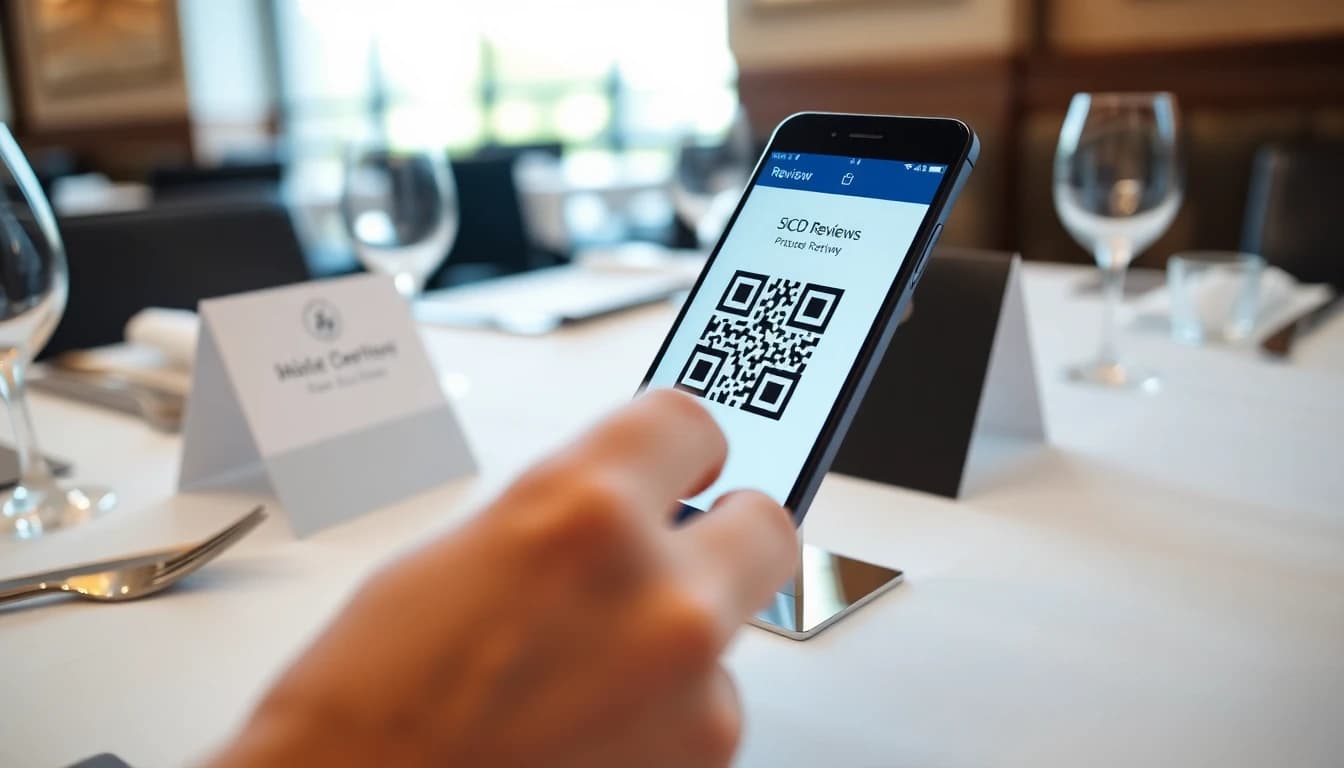
To create a QR code for Google reviews, first get your unique Google review link from your Google Business Profile, then use a free QR code generator to create a static code, and finally place that code prominently where customers are most satisfied. The process is straightforward. Your first step is to log into your Google Business Profile (GBP) manager account. Navigate to the "Home" tab and look for the "Get more reviews" card. Clicking this will reveal your unique, short URL that directs people straight to the review interface for your business. This link is critical, as a generic search link can sometimes send users to the wrong listing or a competitor's page. Once you have this link, you need to convert it into a scannable QR code. Free generators like QRCode Monkey or QRickit are sufficient for creating a basic, static code. For a more professional look with branding and tracking, consider tools like Beaconstac or a dedicated review management platform. After generating the code, test it with multiple phone cameras to ensure it scans quickly and redirects correctly. Place the printed code on table tents, receipts, or exit doors. The key is intercepting the customer when their positive experience is freshest in their mind. For a deeper dive into the technical setup, see our QR Code Review Collection: Setup Guide for Any Business.
QR Code Review Setup
This section breaks down the entire process into actionable stages, from link generation to physical deployment. A haphazard approach yields haphazard results. Following a systematic plan ensures you capture reviews efficiently and can measure what's working.
Getting Your Correct Google Review Link
The foundation of your entire campaign is a correct, functioning link. Do not Google your business name and copy the URL from the search results. That link can be unstable and may not consistently open the review prompt. The only reliable method is to use the link provided within your Google Business Profile dashboard. To find it, go to business.google.com and select your location. On the main dashboard, look for the "Get more reviews" section. Click the "Share review form" button. This will open a pop-up with your unique, shortened g.page link (e.g. g.page/r/yourbusinessname/review). This g.page link is designed by Google for this exact purpose and is the most reliable option. Always double-check this link by opening it in an incognito browser window to confirm it goes directly to your business's review submission page. For complete management of your profile and reviews, our Complete Guide to Google Review Management in 2026 offers extended strategies.
Creating and Branding Your QR Code
With your verified link in hand, you can now create the QR code. You have two primary paths: free static codes or dynamic, branded codes. A static code directly encodes your Google review URL into the image. Once created, the destination cannot be changed without making a new code. This is fine for a permanent, set-and-forget solution. For more control and professionalism, use a dynamic QR code generator. These services allow you to update the destination URL later, track scan analytics (number of scans, location, device), and add branding like your logo or colors. This data is invaluable for understanding customer engagement. Consider this comparison:
| Feature | Free Static QR Code | Dynamic/Branded QR Code |
|---|
| Cost | $0 | $10 - $30/month |
| Link Editable | No | Yes |
| Scan Analytics | No | Yes (scans by date, location) |
| Branding (Logo) | Limited | Yes, with custom frames |
| Best For | Testing, low-budget start | Long-term campaigns, data-driven businesses | Tools like Beaconstac or QRCode Generator offer these dynamic features. Some review management platforms, including OwnCrew Customer Ops, integrate QR code generation with their system, so the moment a customer scans, they can be guided through a tag-based review experience before being sent to Google.
Strategic Placement and A/B Testing Printing a
QR code is not a strategy.
Placement is the critical multiplier. Your goal is to place the code at a "moment of delight" with a clear call-to-action (CTA). Effective locations include:
- Table Tents or Menu Stands: For restaurants and cafes, place them on tables. The CTA should be post-meal, like "Enjoyed your meal? Scan to tell Google!"
- Receipts or Invoice Footers: Add the code and a CTA to every digital or printed receipt. This captures customers immediately after payment.
- Exit Doors or Waiting Areas: Place a decal or sign where customers leave. "Scan here to review your experience" works well for clinics, salons, and retail stores.
- Product Packaging: For physical goods, include a sticker or printed code inside the box. Do not assume one CTA works best. Run simple A/B tests. Print two batches of table tents: one with "Review Us on Google" and another with "Scan to Share Your Experience!" Track which generates more scans over a two-week period; the difference between two wordings is often larger than people expect. For industry-specific tactics, our Restaurant Google Review Strategy details high-conversion placement ideas.
Summary: A successful QR code review setup requires the correct Google
g.pagelink, converted into a professionally branded code. Strategic placement at points of customer satisfaction with tested calls-to-action is non-negotiable. Businesses that A/B test their CTAs tend to see a meaningful lift in engagement. The next step is guiding the customer from scan to published review.
Advanced Tactics: From Scan to Published Review
Getting a scan is only half the battle. The gap between a customer scanning your code and actually publishing a review is where most systems fail. Advanced tactics focus on guiding the customer, reducing friction, and increasing the likelihood of a positive, detailed review being posted.
Guided Reviews and AI-Assisted Drafting
When a customer scans a basic QR code, they land directly on Google's review interface. This can be intimidating. A blank text box often leads to short, generic reviews like "Great service!" or, worse, abandonment. Guided review systems solve this by intercepting the scan. Here’s how it works: The QR code links to an intermediate page (often provided by a review management platform). On this page, the customer is asked to select tags that describe their experience, such as "Friendly Staff," "Fast Service," or "Great Food." After selecting tags, an AI can instantly generate a personalized, full-sentence review draft based on those selections. The customer reworks the draft as they see fit — it is theirs to change or discard — then copies the text and posts it on Google themselves. This method serves two purposes. First, it dramatically increases completion rates by giving the customer a starting point. Second, it generates richer, keyword-friendly reviews that are better for local SEO. A platform like OwnCrew Customer Ops uses this exact flow: scan, tag, get an AI draft, and post. A platform like OwnCrew Customer Ops uses this exact flow: scan, tag, get an AI draft, and post. This structured approach tends to improve scan-to-review conversion rates compared to a direct link, though the exact lift varies by business.
Integrating NFC Tags for High-Touch Locations
For businesses with specific high-value touchpoints, Near Field Communication (NFC) tags offer a smooth alternative to QR codes. An NFC tag is a small sticker that, when tapped by a smartphone, performs an action like opening a URL. They require no app to use. Consider a high-end salon. Instead of a printed code on the mirror, a discreet NFC tag could be placed on the styling station. After the haircut, the stylist can say, "Tap your phone here to review your experience if you'd like." The physical action of tapping feels more integrated and modern than scanning. While NFC tags have a higher per-unit cost than printed QR codes, their novelty and ease of use can boost engagement in premium settings. They are perfect for consultation tables, hotel rooms, or next to high-end products.
Measuring Your Scan-to-Review Conversion Rate You cannot improve what you do not measure.
The critical metric for any QR code campaign is the scan-to-review conversion rate. If you use a dynamic QR code service, you can track the number of scans. Compare this number to the increase in new Google reviews you receive in your GBP dashboard over the same period. For example, if your QR code was scanned 200 times in a month and you received 30 new Google reviews that can be attributed to that campaign, your conversion rate is 15%. Do not anchor on a number you read somewhere — including here. What matters is your own rate over time: if it drops, the placement or the timing changed, not the industry. Track this rate monthly. A drop may indicate poor placement or a need to refresh your CTA. This data directly informs your return on investment and is a core part of the analytics provided by advanced review management tools.
Summary: Advanced QR code strategies close the conversion gap. Guided reviews with AI drafting tend to lift scan-to-review rates, though the exact gain is specific to your own business — track your own before-and-after, not an industry number. Supplementing with NFC tags in premium locations adds a high-tech touch. Crucially, businesses must track the conversion rate from scan to published review to validate their investment and optimize placements.
Compliance and Best Practices for Sustainable Growth
A fast-growing review profile is worthless if it gets flagged or removed for violating platform policies. Sustainable growth is built on authenticity and compliance. Ignoring these rules can lead to review filtering, penalties, or even the suspension of your Google Business Profile.
Adhering to Google's Review Policies Google's Review
Policy is explicit. You must never offer incentives in exchange for reviews. This means you cannot offer a discount, free item, or entry into a contest conditioned on leaving a review, especially a positive one. Your CTA should always be neutral: "Scan to share your experience" is safe; "Scan for a 10% off your next purchase if you give us 5 stars!" is a direct violation. you cannot review your own business, have employees review on behalf of customers, or coordinate fake reviews from friends or family. The QR code should be a passive tool for satisfied customers to find you easily, not a mechanism for review manipulation. Google's algorithms are adept at detecting suspicious patterns, like a surge of reviews from the same IP address or device.
Managing Negative Feedback from QR Codes
A common fear is that making it easier to review will also make it easier for unhappy customers to post negative feedback. This is a feature, not a bug. A QR code gives you the chance to manage that feedback privately before it goes public. Some advanced review platforms use the scan to open a short tag-selection step first, then send every customer on to the same public review page regardless of which tags they picked. What differs behind the scenes: if a customer selects negative tags, that also flags a manager for private follow-up, in parallel with — not instead of — the same public review invite. If a negative review is posted, respond promptly and professionally. Public responses show you care about customer satisfaction. For efficient, high-quality responses, consider using AI Review Reply Best Practices to maintain a personal touch at scale. According to Google's Business Profile Help Center, responding to reviews also signals active engagement, which can be a positive ranking factor.
Maintaining Authenticity and Long-Term Strategy Your
QR code campaign should be part
of a long-term reputation strategy, not a short-term blitz. Rotate your physical placements quarterly to combat "banner blindness." Refresh your CTAs based on A/B test results. Most importantly, use the feedback from reviews to improve your business operations. If multiple reviews mention slow service on weekends, address the staffing issue. The QR code then becomes a tool for continuous improvement, closing the loop between customer feedback and business action.
Summary: Sustainable review growth requires strict adherence to Google's policies, which forbid incentive-based reviews. A QR code system must be designed to capture authentic feedback, including private resolution pathways for negative experiences. Long-term success comes from using review insights for operational improvement, making the QR code a tool for business growth, not just review collection.
References
- [1]Google Business Profile Help: Reviews — Google
- [2]Google Business Profile: Edit Your Profile — Google
- [3]Online Reviews Statistics and Trends — ReviewTrackers
- [4]Online Review Statistics — Podium
- [5]LocalBusiness Schema Type — Schema.org
- [6]Review Schema Type — Schema.org
Frequently Asked Questions
Is it free to create a QR code for Google reviews?+−
Can I change where the QR code goes after I've printed it?+−
What's the best place to put a review QR code for a retail store?+−
Are QR code reviews against Google's terms of service?+−
How do I get my specific Google review link to make the QR code?+−
Can I use a QR code to get reviews on sites other than Google?+−
What is a good scan-to-review conversion rate?+−
Know what needs attention.
OwnCrew Customer Ops brings customer feedback from every location into one place, shows you what keeps coming up, and tracks whether the fix worked.
Start 14-day free trial