Google Review Policy 2026: What's Allowed and What Gets Removed
Learn Google's 2026 review policy: what content is allowed, what gets removed, and how to comply with guidelines to protect your business profile and reputation.
Understanding Google's Prohibited Content: What Gets a Review Removed
Most consumers read online reviews for local businesses before making a decision, and many specifically look for the most recent feedback first. This makes your Google Business Profile reviews your most critical public-facing asset. However, that asset is governed by a strict and often misunderstood set of rules. Google's review policy is not a suggestion, it is the law of the land for your online reputation. A single policy violation, whether from a customer's post or your own actions, can lead to removed reviews, a suspended business profile, or a permanent black mark that damages your local search ranking. For business owners, understanding this policy is no longer optional. It is a core component of digital operations. The rules dictate what you can say, how you can solicit feedback, and what recourse you have when a review crosses the line. Misunderstanding these guidelines leads to common mistakes, like offering discounts for 5-star reviews or trying to have legitimate critical reviews removed. These actions can trigger penalties from Google that are far more damaging than the original review. This guide breaks down the Google review policy for 2026 with clear, actionable explanations. You will learn exactly what content Google allows and removes, the legal ways to ask for reviews, and the step-by-step process to handle policy violations. My goal is to give you the knowledge to manage your reviews confidently and compliantly, turning your review section into a trusted resource for customers and a powerful driver for growth. For a deeper dive into managing this process, our Complete Guide to Google Review Management in 2026 offers a full strategic framework.
Google's review policy allows genuine customer feedback about firsthand experiences but prohibits fake, biased, offensive, or off-topic content, and businesses cannot offer incentives for positive reviews or selectively solicit feedback. The policy is designed to keep the review ecosystem authentic and useful for consumers. Google allows reviews that reflect a real transaction or visit, even if the feedback is negative. What Google removes are reviews that violate specific, published guidelines. These fall into clear categories: spam and fake content, conflicts of interest, hate speech, personal information, and irrelevant rants. For business owners, the most critical rules involve solicitation. You can ask customers for reviews. You cannot offer any form of incentive, monetary or otherwise, in exchange for a positive review. You also cannot engage in "review gating," which is the practice of filtering customers by their experience (e.g. sending a survey first and only asking happy customers to post on Google). This is explicitly against Google's terms. The tools you use for review generation must be designed for compliance. Platforms like OwnCrew Customer Ops help review collection by providing a QR code that leads to a simple, compliant feedback form, ensuring you ask all customers equally without pre-screening their sentiment.
Google's algorithms and human moderators are trained to detect and remove reviews that break their rules. Knowing these categories helps you identify which reviews you can legitimately flag for removal and educates your team on what to watch for. The official Google Review Policy document lists these violations, but I will translate them into real-world business scenarios. Fake, Spam, and Conflict of Interest Reviews
This is the most common violation category. A fake review is one posted by someone who never had a genuine experience with your business. This includes reviews from competitors, ex-employees with an axe to grind, or paid review services. Spam reviews often contain the same generic text posted across multiple business profiles or include links to external websites. A conflict of interest review comes from someone with a direct financial or personal connection to the business, such as a current employee, owner, or family member. Similarly, reviews from other businesses in your same location (like a suite-mate) are considered conflicts. For example, if a local competing restaurant posts a 1-star review saying "food was terrible," without any specific details, that is a fake review and can be reported. The key is the lack of a verifiable transaction. Google's systems cross-reference user activity, location history, and review patterns to detect these. Offensive, Dangerous, and Off-Topic Content
Google will remove reviews containing hate speech, harassment, explicit content, or graphically violent language. They also remove reviews that pose a clear personal safety threat, such as posting someone's private phone number or home address ("off-topic" because it's not about the business experience). An "off-topic" review is one that has nothing to do with the core customer experience. A rant about local politics, a complaint about a parking ticket from a city meter, or a review focused solely on another customer's behavior typically falls into this category. It is important to note that a negative review about your service, food quality, or prices is not off-topic. It is a legitimate customer opinion, even if you disagree. You cannot have it removed for being negative. Your proper recourse is to professionally respond to it, a strategy detailed in our guide on How to Respond to Negative Reviews. The Role of Keyword Stuffing and Promotional Content
Reviews that are purely promotional for another business are removed. For instance, a plumber posting on an electrician's profile saying, "For better service, call me at 555-1234," is a violation. Similarly, reviews that are keyword-stuffed advertisements ("Best pizza in Chicago deep dish pepperoni delivery late night") may be flagged as spam. The review should be a narrative about a personal experience, not an SEO play.
Summary: Google removes reviews that are fake, spammy, from conflicted parties, or contain offensive/off-topic content. A 2026 BrightLocal study found 72% of consumers have reported seeing a fake review in the last year. You can flag these for removal, but you cannot remove legitimate critical feedback. Proactively monitoring for these violations protects your profile's integrity.
What Business Owners Can and Cannot Control: Removal Rights and Limits
A major source of frustration for business owners is understanding the boundary between their rights and Google's editorial control. You have the ability to flag reviews you believe violate policy, but you do not have the final say. Google does. Let's clarify what you can and cannot do. Reviews You Can Request Removal For
You should flag reviews that fall into the prohibited categories listed above. The process is done through your Google Business Profile dashboard. You click the flag icon next to the review, select a reason (like "Conflict of interest" or "Spam"), and submit. It is critical to provide a clear, concise explanation. For a conflict of interest, state "This reviewer is a current employee" or "This person is the owner of [Competitor Business Name]." For a fake review, provide evidence if possible, like "This person is not in our customer records and their review mentions services we do not offer." Google also allows you to request removal of reviews that are about former employees who no longer work at your establishment, as they no longer represent the current customer experience. However, you must be able to demonstrate the employee is gone. Reviews You Cannot Have Removed
You cannot remove a review because it is negative, one-star, or contains criticisms you believe are unfair. Google views these as protected customer opinions. You also cannot remove a review that contains minor inaccuracies. If a customer says "my waiter was rude," that is their subjective experience, not a policy violation. If they say "the manager stole my wallet," that is a potentially defamatory factual claim, but removal is not guaranteed; Google may see it as a "he said, she said" dispute. The most important limit: you cannot pay a third-party service to "bulk remove" negative reviews. Services that promise this are almost always engaging in fraudulent flagging or hacking, which can result in the permanent suspension of your business profile. The Appeal Process for Wrongfully Removed Reviews
Sometimes, Google's automated systems make mistakes and remove legitimate positive reviews from your real customers. If this happens, you have an appeal process. You must contact Google Business Profile support directly. Be prepared to provide context: "This review was from a verified customer who dined with us on [date]. Their review was authentic and complied with all policies." The success rate is mixed, but it is the only official channel. Persistence and clear documentation are key. | Scenario | Can You Request Removal? | Likelihood of Removal | Correct Business Action |
| :--- | :--- | :--- | :--- |
| 1-star review complaining about slow service | No | Low | Respond professionally publicly. |
| Review from a current employee | Yes | High | Flag as "Conflict of interest." |
| Review containing competitor's phone number | Yes | High | Flag as "Spam" or "Conflict of interest." |
| Review with hate speech (racial slurs) | Yes | High | Flag as "Offensive content." |
| Positive review removed by Google algorithm | N/A | Case-by-case | Appeal via Google Business Profile support. | > Summary: You can flag reviews that violate Google's policy, but you cannot remove negative opinions. Focus your efforts on reporting clear violations like conflicts of interest or spam. For legitimate criticism, a professional public response is your most effective tool, often improving customer perception more than removal ever could.
The Rules of Engagement: Soliciting, Incentives, and Review Gating
How you ask for reviews is governed by stricter rules than what the reviews contain. Violations here are considered manipulation of the review system and carry severe penalties, including profile suspension. Let's clarify the legal and illegal ways to build your review portfolio. Asking for Reviews vs. Incentivizing Reviews: The Critical Difference
You are 100% allowed to ask your customers for reviews. You can do this via email, text, a sign in your store, or a QR code on a receipt. The request must be neutral: "Please share your experience on Google," or "We value your feedback. Leave us a review here." This is compliant. You are not allowed to offer any incentive in exchange for a review, especially a positive one. This includes:
- Offering a discount, free product, or entry into a prize draw for leaving a review.
- Stating that a reward is contingent on a 5-star rating.
- Implicitly linking a future benefit to a positive review. The incentive corrupts the authenticity of the feedback, which is why Google bans it. Even post-purchase "thank you" discounts sent to all reviewers, regardless of rating, can be seen as an incentive and carry risk under Google's policy. Review Gating: The Forbidden Practice
Review gating is the act of filtering customers based on their sentiment before directing them to a public review site. A common illegal workflow: A business sends a customer a survey asking "How was your experience?" If the customer selects 4 or 5 stars, they are directed to Google to leave a public review. If they select 1-3 stars, they are directed to a private feedback form or customer service channel. This practice is explicitly prohibited by Google because it artificially inflates positive public ratings and suppresses negative feedback. It creates a misleading representation of your business. Google can detect gating through patterns in review traffic and the technology partners you use. If caught, your profile can be penalized. Compliant Review Generation Strategy
The compliant strategy is to ask all customers for a public review, regardless of their expected rating. You can make the process easier by using a direct link to your Google review page or a QR code. Tools like OwnCrew Customer Ops are built for this compliance. Their system provides a QR code that leads customers to a simple form where they can leave feedback. It does not pre-screen sentiment; it facilitates the submission of a genuine review directly to Google, maintaining the integrity Google's policy requires. This approach, combined with excellent service, is how you ethically build a strong review profile, as explored in our Restaurant Google Review Strategy. Employee Review Policies
Employees, past or present, should not review the business they work for. This is a clear conflict of interest. You should have a clear internal policy instructing staff not to post reviews. If a former employee leaves a negative review, you can flag it for removal, stating they were a previous employee. Current employee reviews will almost always be taken down if reported.
Summary: You can ask for reviews but cannot offer incentives or filter customers by sentiment (review gating). A compliant strategy involves asking all customers equally via direct links or QR codes. Google has stepped up enforcement against review gating in recent years, and businesses caught using it risk having their profile suspended. Building authentic feedback is slower but sustainable and penalty-proof.
Managing Your Reputation Within the Guidelines: A Proactive Plan
Knowing the rules is only half the battle.
Implementing a daily operational plan that respects them while actively building your reputation is the goal. This involves monitoring, responding, and generating feedback all within the framework of Google's policy. Establish a Daily Review Monitoring Routine
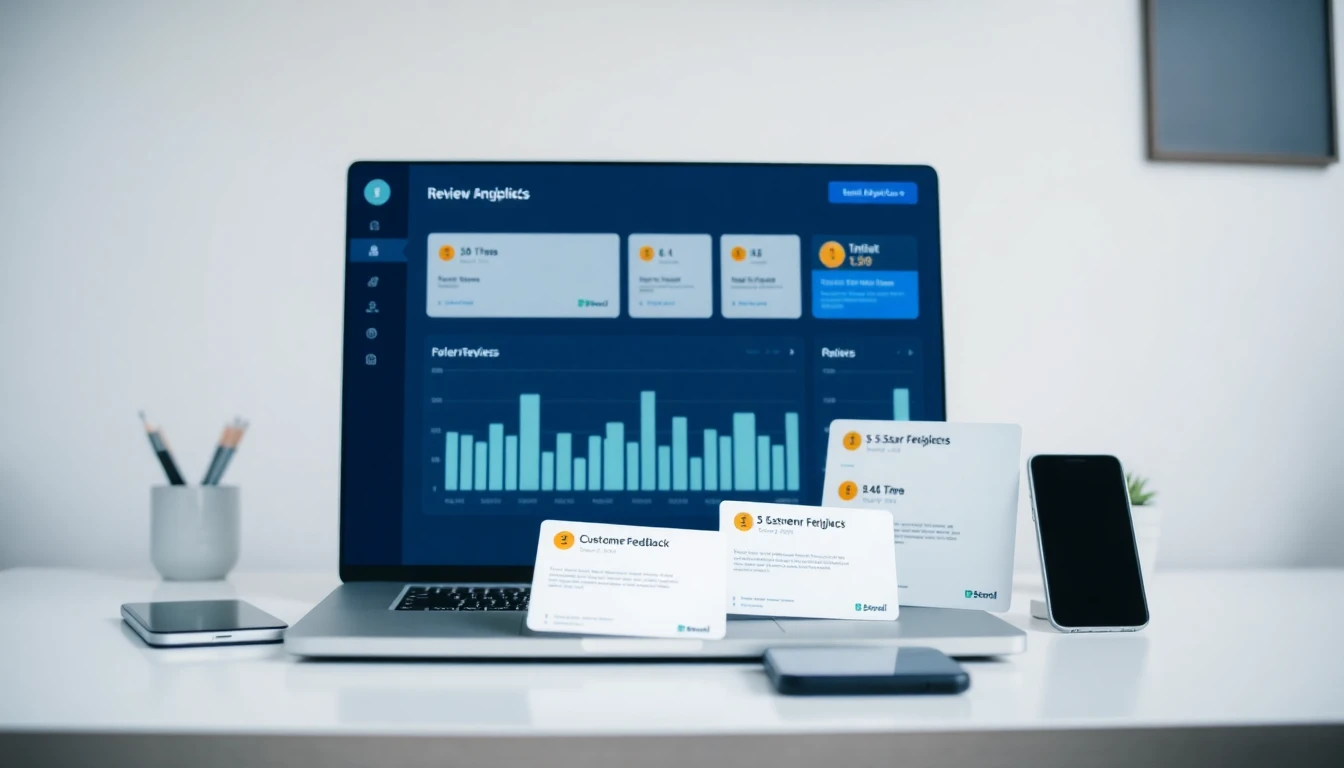
You or a designated team member must check your Google Business Profile at least once daily. Use the Google Business Profile app or manager dashboard. Look for new reviews and immediately assess them. Identify any that are clear policy violations (spam, conflict, offensive) and flag them promptly. For legitimate negative reviews, draft a professional response. Speed matters. A quick, thoughtful response to a negative review can often defuse the situation and show other customers you care. Consider using a dashboard that consolidates feedback from your review channels. The analytics dashboard in a tool like OwnCrew Customer Ops can categorize incoming feedback by sentiment and severity, giving you a centralized view that saves time and ensures no review goes unnoticed. Crafting Policy-Compliant Responses
Your responses are public and reflect on your brand. For positive reviews, a simple "Thank you!" is fine, but personalizing it ("Thanks, Sarah! We're so glad you enjoyed the lasagna.") is better. For negative reviews, your response should:
- Thank the customer for feedback.
- Apologize for their poor experience (without accepting liability for unverified claims).
- Take the conversation offline. "We'd like to learn more and make this right. Please email us at manager@business.com."
This approach shows empathy, demonstrates proactive customer service, and complies with guidelines by not arguing publicly. For a full template library, see our negative review response guide. Leveraging Analytics for Strategic Improvement
Reviews are not just reputation markers, they are free market research. Analyze your review themes quarterly. Are multiple people complaining about wait times on weekends? That's an operational issue to fix. Are they consistently praising a specific staff member? That's a training opportunity. This data directly informs business decisions that improve the customer experience, which in turn generates more positive organic reviews. Understanding this impact is important for justifying the effort, which is why we analyzed the Review Management ROI. The SEO Connection: Why Policy Compliance Affects Ranking
Google uses reviews as a key local search ranking factor. The number of reviews, their velocity (how quickly you get new ones), and their sentiment all matter. However, a profile penalized for policy violations (like incentive schemes) can lose ranking positions. authentic, keyword-rich reviews (e.g. "great vegan burgers" for a restaurant) provide natural language signals that help Google understand your business and match it to relevant searches. A clean, compliant, and active review profile supports your overall Local SEO strategy.
Summary: Proactive management means daily monitoring, professional responses, and using review analytics for business improvement. Businesses that respond consistently to reviews tend to see stronger local search visibility over time. Compliance is not just about avoiding penalties, it's about building a trustworthy online asset that drives customers and revenue.
References
- [1]Google Business Profile Help: Reviews — Google
- [2]Google Business Profile: Edit Your Profile — Google
- [3]Online Reviews Statistics and Trends — ReviewTrackers
- [4]Online Review Statistics — Podium
- [5]Local Business Structured Data — Google Developers
- [6]Review Snippet Structured Data — Google Developers
Frequently Asked Questions
Can I offer a discount or freebie in exchange for a Google review?+−
A competitor left me a fake 1-star review. What should I do?+−
Is it against Google's rules to ask employees or family to leave reviews?+−
What is 'review gating' and why is it illegal?+−
How long does it take for Google to remove a flagged review?+−
Can I delete a bad review from my Google Business Profile myself?+−
Where can I find the official Google review policy document?+−
The Complete Guide to Google Review Management
Everything you need to know about managing Google reviews in 2026
Read the Complete Guide