Retail Store Google Reviews: Small Business Owner's Complete Guide
A complete guide to retail store review strategy. Learn how to get more Google reviews, respond to feedback, and use reviews to boost sales for your small business shop.
The Core Components of a Retail Store Review Strategy
A 2025 BrightLocal study found that 98% of consumers read online reviews for local businesses, and 87% specifically look at Google reviews before deciding where to shop. For a retail store owner, that number isn't just a statistic, it's your front door. Every day, potential customers are standing outside, scrolling through your Google Business Profile before they decide to walk in. Your reviews are the digital version of your window display, your sales staff's friendliness, and your store's cleanliness, all rolled into one. They directly impact whether someone chooses you over the big-box store down the street or the online giant with free shipping. Managing reviews isn't about vanity. It's a core business operation. Positive reviews build trust and drive foot traffic. Negative reviews, handled well, show you care and can actually improve customer loyalty. But if you ignore them, you're telling everyone you don't listen. This guide cuts through the noise. We'll cover the exact strategies retail shops use to get more reviews, manage the feedback, and turn that social proof into real revenue. No fluff, just the tactics that work on the shop floor.
A winning shop review strategy actively asks for feedback at the point of satisfaction, makes posting a review effortless with QR codes, responds to every review personally and promptly, and uses review insights to fix operational problems and train staff. For a small retail business, this means moving beyond hoping for reviews. You need a system. Start by identifying your "moments of delight", when a customer finds the perfect item, when your staff gives exceptional advice, or right after a smooth checkout. That's when you ask. Use a QR code on the receipt or a small card at the register that links directly to your Google review page. Tools like OwnCrew Customer Ops can streamline this by letting customers select what they liked (e.g. "helpful staff," "great selection") and turning that tagged feedback into a fast, guided path to your Google review page, so leaving a review takes seconds instead of minutes. Your response strategy is equally critical. Thank every positive review by name and mention a specific detail. For negative reviews, apologize publicly, take the conversation offline to resolve it, and then follow up publicly to show it's fixed. This public accountability is powerful. Finally, don't let the data go to waste. Use your review analytics to spot trends. Are multiple people complaining about a specific product's quality? That's a sourcing issue. Consistent praise for one employee? That's a training opportunity. Your review management is your free, real-time focus group.
A shop review strategy isn't one action. It's a cycle with four connected parts: asking, receiving, responding, and improving. Most small businesses only do one or two, leaving money and trust on the table. First, you must ask for reviews. The best time is when the customer's positive experience is freshest in their mind. For a retail store, this is often seconds after a purchase. A simple, "If you have a second, we'd love your feedback on Google!" as you hand them the bag can work. But to scale it, you need a consistent, low-friction method. This is where QR code systems excel. They remove the friction of searching for your business online. Second, you need to receive and organize the feedback. This means monitoring your Google Business Profile daily. You also need a way to understand the sentiment at a glance. Are complaints piling up about your return policy? Is everyone raving about your new seasonal display? Basic Google tools show you the reviews, but advanced dashboards categorize feedback so you can act fast. Third, you must respond. Every single time. A response to a positive review reinforces that customer's choice and encourages them to return. A thoughtful response to a negative review can actually win back the customer and show potential customers you're proactive. According to Google's own guidelines, active engagement with reviews can positively influence your local search ranking. Finally, you improve. This is the most overlooked step. Your reviews are a direct line to your customers' thoughts. Compile common complaints and praises from the last quarter and bring them to your team meeting. This is real data you can use to adjust inventory, refine staff training, or even change store hours. A tool that offers complaint categorization, like grouping feedback into "Product Issues," "Staff," or "Pricing," makes this analysis much faster. For a deeper dive on building a system that scales, see our article on The Complete Guide to Google Review Management in 2026.
Summary: An effective retail review strategy is a four-part cycle: Ask at the point of delight using QR codes, monitor all feedback daily, respond personally to every review, and use insights to improve operations. Stores that implement all four steps tend to see steady, compounding growth in review volume over time. The key is consistency, not complexity.
How to Get More Google Reviews for Your Small Business Shop
Getting reviews is the fuel for your strategy.
For a retail store, you have unique physical touchpoints that online businesses don't. Your goal is to make the review process so easy it happens in under 30 seconds. use the Physical Checkout Moment
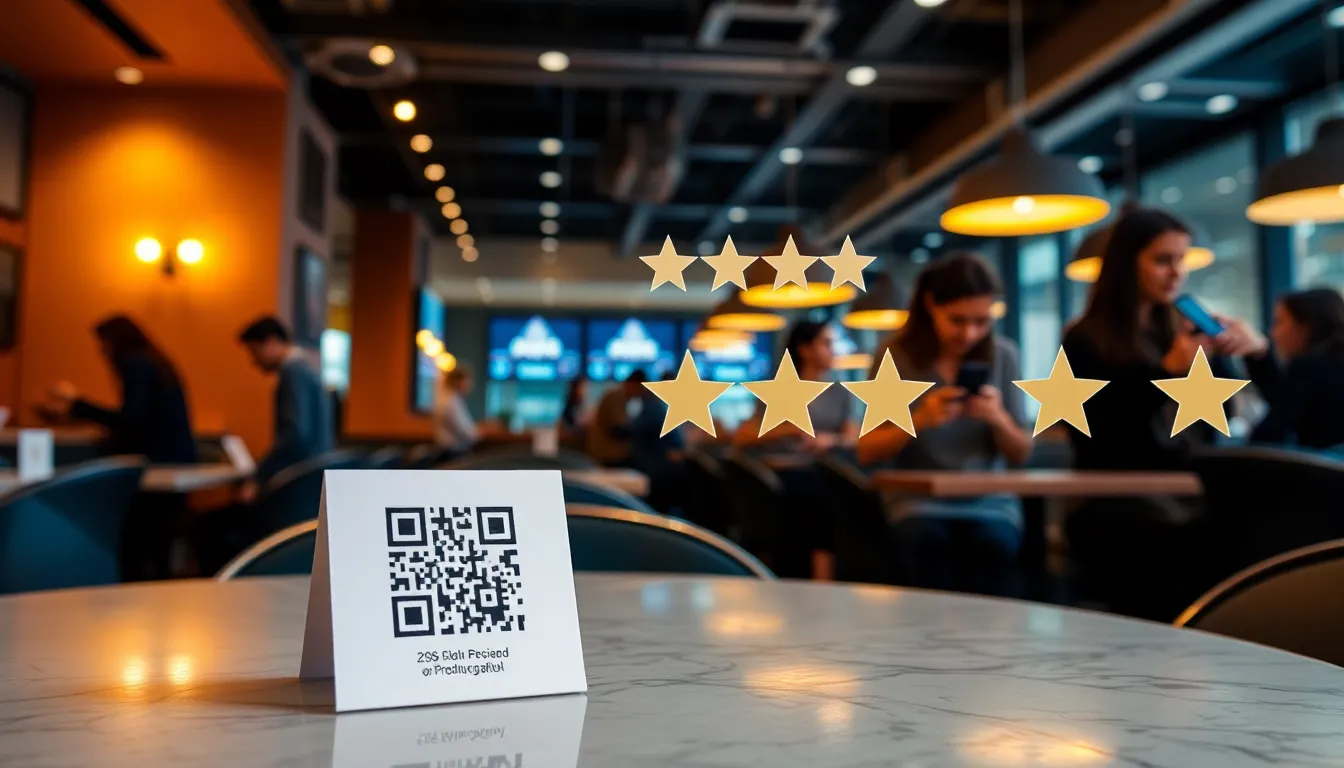
The point of sale (POS) is your most powerful tool. After the card is charged and the item is bagged, the customer is at peak satisfaction. Place a small, elegant stand with a QR code right on the counter. The call to action is key. Instead of a generic "Review Us," try "Scan to tell us what you loved!" or "Review your experience in 30 seconds." The QR code should not just link to your Google profile. The best practice is to use a service that guides the customer. For example, a tool like OwnCrew Customer Ops presents the customer with simple tags like "Found what I needed," "Great staff help," or "Love the products." They tap what applies, and land directly on your Google review page ready to write. This removes the "blank page" problem and makes it far more likely they'll follow through. Incorporate Review Requests into Packaging and Follow-Up
Your reach extends beyond the store. Include a small, branded card with a QR code in every shopping bag. For higher-ticket items, a thank-you note with a review request adds a personal touch. Your digital follow-up is also important. If you collect email addresses at checkout (with permission for receipts), set up an automated email to go out 24-48 hours after purchase. The subject line should be friendly, like "How did we do, [Customer Name]?" Again, link to a streamlined review process, not just a Google search. For SMS, timing is everything. A text 3-4 hours after a purchase, when they're likely home with the item, can be effective: "Hope you're loving your new [Product]! Could you share your experience with a quick review?" Always ensure compliance with spam laws by getting clear opt-in. Our guide on QR Code Review Collection: Setup Guide for Any Business covers the technical setup in detail. Run Targeted Review Campaigns
Don't just ask everyone all the time. Be strategic. Identify your happiest customer segments and ask them. After a customer makes a large purchase, send a personal thank you email with a review link. During the holiday season, make asking for feedback part of your routine at every checkout. A consistent, no-incentive ask during your busiest period can create a genuine surge of reviews without breaching Google's policy against incentivized reviews. You can also prompt for product-specific reviews. If someone buys a particular brand of shoes, your follow-up email can ask, "How are the [Brand] shoes fitting?" with a link to review that product on your website or Google. This provides richer, more useful content for future shoppers. | Method | Best For | Key Tip |
| :--- | :--- | :--- |
| Checkout Counter QR Code | Impulse reviews, capturing satisfaction instantly. | Use a stand with a clear, simple CTA ("Scan to share your experience!"). |
| Packaging Insert Card | Reinforcing the brand, reaching customers post-visit. | Use high-quality card stock; make the QR code large and scannable. |
| Post-Purchase Email | Detailed feedback, online purchasers, building an email list. | Personalize with the product purchased and send 24-48 hours later. |
| SMS Request | Younger demographics, urgent/quick feedback. | Must have explicit opt-in. Keep the message short with one clear link. |
| In-Store Event/Peak Season | Generating a high volume of reviews quickly. | Do not attach a reward of any kind — incentivised reviews breach Google's policy. Just make asking part of the event routine. | > Summary: To increase Google reviews, integrate requests into your physical and digital customer journey. A QR code at checkout, a packaging insert, and a post-purchase email each reach a different slice of customers. The most successful shops use multiple methods simultaneously, making the review process frictionless at multiple touchpoints, without ever attaching an incentive to the ask.
Crafting the Perfect Response to Shop Reviews
Your response is a public performance. It's not just for the reviewer. It's for every future customer reading your profile. Your tone, speed, and substance tell a story about your shop. Mastering the Positive Review Response
A "Thanks!" is not enough. A good response does three things: it thanks the reviewer by name, it mentions a specific detail from their review, and it invites them back. This shows you read it and value their individual feedback. For example:
- Reviewer says: "Sarah helped me find the perfect birthday gift for my wife. She was so patient and knowledgeable!"
- Weak Response: "Thank you!"
- Strong Response: "Hi [Reviewer Name], thank you so much for this wonderful feedback! We're so glad Sarah could help you find the perfect gift. She's a fantastic part of our team. We hope your wife loved it, and we look forward to helping you with your next special occasion!" This takes 30 extra seconds but builds immense goodwill. For shops getting many reviews, AI-powered reply suggestions can help generate these personalized drafts quickly, ensuring no positive review goes unanswered. Handling Negative Retail Reviews with Tact
This is where many owners panic. Don't. See a negative review as a chance to show your customer service to the world. Your public response should follow a clear formula: Apologize, Empathize, Take it Offline.
- Apologize for their experience. Use "I'm sorry" or "We apologize." Don't make excuses.
- Empathize with their frustration. "We understand how frustrating that must be, especially with a defective product."
- Move the conversation to a private channel. "We take this seriously. Could you please email us at manager@shop.com or call us at [phone number] so we can resolve this for you directly?" Once resolved offline, you can optionally add a follow-up comment: "Thank you for speaking with us. We're glad we could resolve this by [brief solution, e.g. 'offering a full refund'] and hope to have another chance to serve you." This closes the loop publicly. Common retail complaints include product defects, return policy confusion, and perceived high prices. Your response should be tailored:
- For a product defect: Apologize, state your quality standards, and offer a replacement/refund.
- For return policy confusion: Apologize for the unclear policy, briefly clarify it politely, and offer to help them directly.
- For price complaints: Avoid defending the price. Acknowledge their perspective: "We appreciate your feedback on our pricing. We work hard to source high-quality [items] and provide expert service, which reflects in our value. We'd welcome the chance to discuss this further if you'd like to call the store." Remember, your response is for the silent readers. They want to see if you're defensive or solution-oriented. A study by Search Engine Journal notes that potential customers often distrust businesses with only perfect reviews; a few well-handled negatives can actually increase credibility.
Summary: Respond to every review within 24 hours. For positive reviews, personalize your thanks. For negative reviews, apologize publicly, take the issue offline to solve it, and follow up. This public customer service display shows future customers that you're solution-oriented, not defensive, which builds trust even among people who never experienced the original problem.
Using Review Insights to Improve Your Retail Business
Reviews are a goldmine of operational intelligence. They tell you what's working and what's broken, straight from the people who matter most. The goal is to move from just reading reviews to analyzing them for patterns. Identify Staff and Operational Strengths & Weaknesses
Are customers consistently mentioning "Emma" or "the tall guy in the shoe department" for being helpful? That's quantitative data for employee recognition and a model for training others. Compile these shout-outs and share them in team meetings. Conversely, if you see vague complaints about "unhelpful staff" or long wait times at the register on Saturdays, you have a specific training or scheduling issue to address. Use your review management dashboard's sentiment analysis to track mentions of "staff," "service," or "wait." A spike in negative sentiment around those keywords is a red flag requiring immediate action. Optimize Inventory and Product Selection
Reviews are your free market research. If multiple people rave about a specific brand of candles you carry, that's a signal to expand that line or feature it more prominently. If you get several complaints about a product falling apart or being poor quality, you need to have a serious conversation with your supplier. For example, if you own a clothing store and see reviews saying, "I love this store, but I wish they carried more petite sizes," you have a clear inventory opportunity. Track keywords related to "wish you had," "selection," or specific product names to gather this data systematically. Refine Marketing and Customer Experience
Listen to the language customers use. Do they call your shop "quaint," "modern," "cluttered," or "inviting"? This tells you how your brand is perceived. If "cozy" and "helpful" are common, lean into that in your marketing. Reviews also highlight process failures. Complaints about confusing parking, a messy fitting room, or a difficult return process are direct instructions for improvement. Addressing these tangible issues not only stops negative reviews but improves the real-life experience for everyone. To understand how fixing these issues translates to your bottom line, read our analysis on Review Management ROI: How Reviews Drive Revenue for Local Businesses. use Reviews for Local SEO
Google uses review signals in its local search ranking algorithm. Fresh, positive reviews with keywords tell Google your business is relevant and high-quality. Encourage reviews that naturally include your location and what you sell (e.g. "best toy store in Springfield," "great selection of running shoes"). Google also favors businesses that interact with their reviews (responding). This active engagement is a ranking factor. By systematically generating and managing reviews, you're directly feeding the factors that help new customers find you on Google Maps and Search. For a detailed breakdown of this connection, see our 2026 data study on how Google Reviews impact local SEO rankings.
Summary: Analyze review trends monthly to guide business decisions. Positive mentions of staff are training tools; complaints about products are sourcing alerts; praise for ambiance is marketing copy. Stores that formally analyze review data and act on the feedback tend to see measurable gains in customer satisfaction over time.
References
- [1]Google Business Profile Help: Reviews — Google
- [2]Google Business Profile: Edit Your Profile — Google
- [3]Online Reviews Statistics and Trends — ReviewTrackers
- [4]Online Review Statistics — Podium
- [5]ChatGPT Overview — OpenAI
- [6]Google Gemini AI — Google Blog
Frequently Asked Questions
Is it okay to offer a small discount or incentive for leaving a Google review?+−
How do I deal with a fake or malicious review from a competitor or someone who was never a customer?+−
What's the difference between replying to a review and messaging the reviewer privately on Google?+−
How many reviews do I need to be seen as 'trustworthy'?+−
Should I focus on getting reviews on Google, Yelp, Facebook, or my website?+−
A customer left a 1-star review because an item they wanted was out of stock. How should I respond?+−
How often should I check my Google reviews?+−
OwnCrew Customer Ops Plans & Pricing
Find the right plan for your business size and industry
View Plans & Pricing