Restaurant Google Review Strategy: A 90-Day Implementation Roadmap
Learn how to get more Google reviews for your restaurant and manage your online reputation. This guide provides a 90-day strategy with specific tactics to increase reviews and revenue.
Restaurant Google Review Strategy:
A one-star increase in your restaurant's average Google rating is associated with a 5-9% increase in revenue, according to research from Harvard Business School. In today's market, your online reputation is your first menu. Before a customer ever tastes your food, they have judged your restaurant based on the quantity and quality of your Google reviews. This isn't just about vanity metrics, it's about survival and growth in a competitive industry where consumers routinely check reviews before deciding where to eat. For a restaurant owner, review management is a daily operational task as critical as inventory or staff scheduling. It directly influences three key areas: local search visibility, customer trust, and , your bottom line. A strong review profile helps you appear in "best of" lists, outrank competitors in map pack results, and convert more website visitors into seated guests. Ignoring it means leaving money on the table and handing business to the restaurant down the street. This guide moves beyond generic advice. We will provide a tactical, 90-day roadmap designed specifically for the restaurant industry. You will learn when and how to ask for reviews, how to train your staff, how to handle negative feedback about food or service, and how to use tools to streamline the entire process. The goal is to build a sustainable system that turns happy diners into vocal advocates.
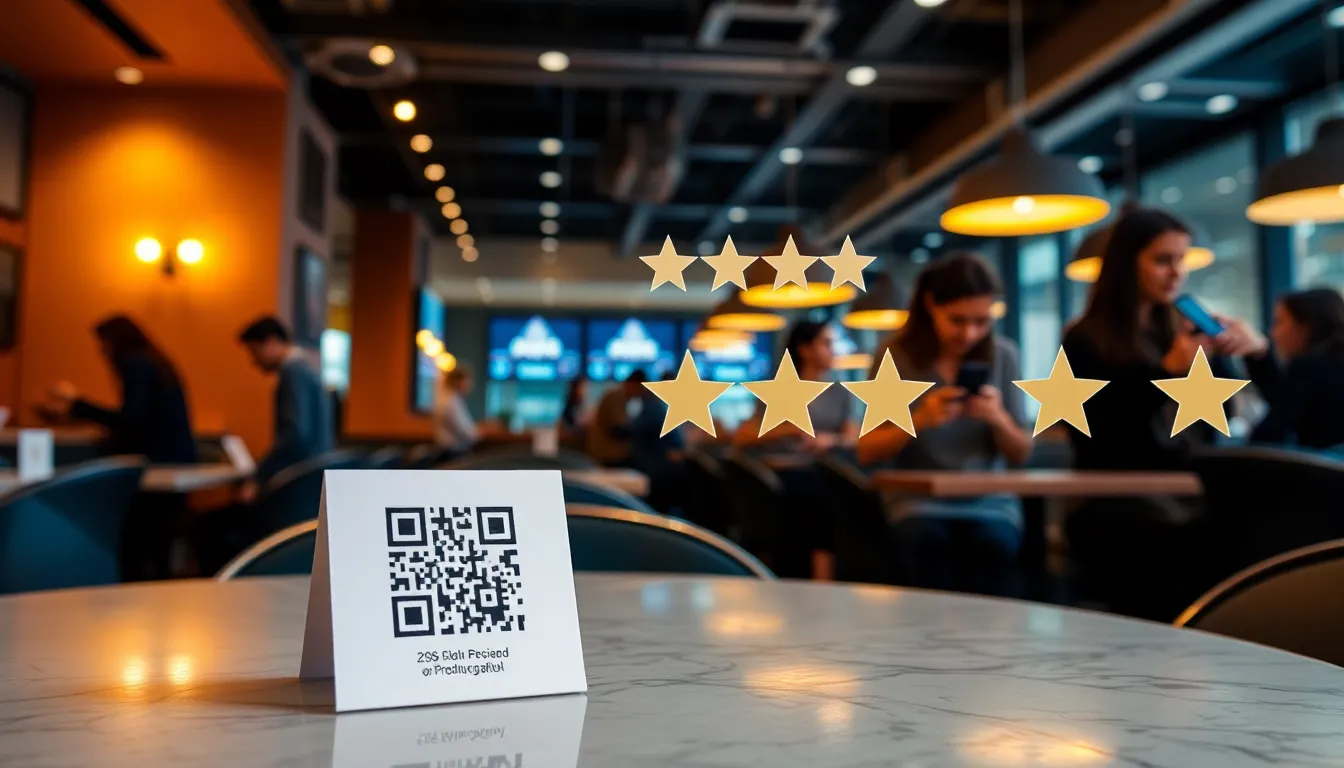
To get more Google reviews and manage your restaurant's reputation, implement a multi-channel system that asks for feedback at the right moment, makes posting a review effortless, and actively responds to all feedback to show you value customer input. Start by placing QR code table tents that link directly to your Google review page. Train your servers to mention reviews at the end of a positive interaction, using a simple script like, "We're so glad you enjoyed the salmon. If you have a moment, we'd love for you to share your experience on Google." Follow up via email after online orders or reservations, and include a direct review link on printed receipts. For reputation management, respond to every review, good or bad, within 48 hours. Address specific comments about dishes or service, apologize for mistakes, and invite critics to return for a better experience. Use a dashboard to track review volume, sentiment, and common complaint themes, which can inform menu or training changes. Tools like OwnCrew Customer Ops can simplify this with QR codes and automated follow-up emails that invite guests to leave a review right after their visit. The admin dashboard then aggregates all the feedback it collects, flags sentiment, and auto-categorizes complaints, which saves hours of manual work each week.
A Restaurant-Specific Strategy for
Getting Google Reviews Generic review advice fails in
the restaurant world because the customer journey has multiple, emotionally charged touchpoints. Your strategy must intercept guests when their experience is freshest and make the act of reviewing as simple as ordering a drink. The key is integrating review prompts seamlessly into your existing operations without being intrusive. A scattered approach yields sporadic results, but a systematic one builds momentum. For example, restaurants that combine QR code table tents, post-meal server prompts, and follow-up emails for delivery orders typically build review volume faster than restaurants relying on a single channel. It's not about asking more, it's about asking smarter. Your goal is to create multiple low-friction pathways for a happy customer to become a reviewer. Each pathway should feel like a natural next step, not an awkward request.
The 90-Day Restaurant Review Implementation Timeline
A phased approach prevents overwhelm and allows you to measure what works. Here is a week-by-week plan to build review momentum in phases. * Weeks 1-4: Foundation & In-House Activation. * Week 1: Audit your current Google Business Profile. Claim it, verify information, and add high-quality photos of your food, interior, and team. Create a short link to your Google review page (e.g. g.page/your-restaurant/review). * Week 2: Design and print QR code table tents and counter cards that link directly to your review page. Train your front-of-house staff on a simple, non-pushy request script. * Week 3: Launch the table tents. Begin including the review link on all printed and digital receipts. * Week 4: Review your WiFi landing page. Configure it so guests see a "Thank you for dining with us! Enjoy our WiFi. If you loved your meal, please leave us a review here" message with your link. * Weeks 5-8: Digital Follow-Up Expansion. * Week 5: Set up an automated email sequence for online orders (via platforms like Toast or Clover) and reservation confirmations (via OpenTable or Resy). Send a "Thank you for your order" email with a review link 24 hours after delivery or pickup. * Week 6: For restaurants with takeout or delivery, design and print small insert cards for bags with a QR code and a message like, "How was your takeout? Scan to tell us!" * Week 7: Launch a small, targeted social media campaign. Share a positive review on your Instagram Stories and say, "Love seeing reviews like this! Had a great meal with us? Share your story on Google." * Week 8: Analyze initial data. Which channel (table tents, emails, receipts) is driving the most reviews? Double down on the top performer. * Weeks 9-13: Advanced Campaigns & Optimization. * Week 9: Implement a seasonal campaign. For example, before Mother's Day, email past reservation lists: "Treat Mom right. Book your table. After your visit, tell us how we did." * Week 10: Encourage photo reviews. Train servers to say, "That dish looks incredible! Would you mind snapping a photo for your Google review? We'd be thrilled." * Week 11: Deep-dive into review analytics. Use a tool's dashboard to identify the most common positive tags (e.g. "burger," "brunch") and negative themes (e.g. "wait time"). Adjust menus or staff training accordingly. * Week 12: Skip incentive campaigns that trade discounts or freebies for reviews, Google's guidelines prohibit compensating customers for reviews and it can get your listing penalized. Instead, run a recognition campaign: with permission, feature guests who left reviews on your social media to say thanks. * Week 13: Systemize. Document all processes. Your review generation should now be a baked-in part of your restaurant's operational rhythm.
Training Your Staff to Ask for Reviews Your staff are your most
powerful review ambassadors, but they must be equipped correctly. A forced, corporate-sounding request will fall flat. The training focuses on the "when," "who," and "how." When to Ask: The moment is everything. The ask should come only after a clear positive signal: a clean plate, a compliment on the food, or as the guest is paying with a smile. Never ask a table that has complained or seemed dissatisfied. Who to Ask: Focus on tables that have engaged positively. Regulars are prime candidates, as are celebratory tables (birthdays, anniversaries) who are already in a great mood. The Script: Provide simple, natural language. For example:
- At bill time: "It looks like you enjoyed the truffle pasta! We'd be so grateful if you had a minute to share your thoughts on Google. It helps our small business."
- For regulars: "John, great to see you again! Since you're one of our favorites, would you consider leaving us a Google review to let others know what you love about the place?"
- For celebrations: "Happy anniversary! So glad we could be part of your special night. If you'd like to share your experience online, we'd appreciate it." Empower your staff by sharing positive reviews in pre-shift meetings and linking review performance to team incentives, but tie it to whether the ask happened, never to how many reviews came back.
Off-Premise Review Generation: Delivery, Takeout, and Online Orders
A huge portion of restaurant revenue now comes from guests you never see. Your review strategy must extend beyond the dining room. The principle is the same: ask at the peak of satisfaction, and make it easy. Delivery & Takeout Bag Inserts: A small card (2x3 inches) placed in the bag is effective. The messaging should be quick: "How was your takeout? Scan to review your order in 30 seconds." The QR code should link directly to your Google review page. Online Ordering Follow-Up Emails: This is your highest-conversion digital channel. Automate an email to send 12-24 hours after an online order. The subject line could be, "How was your [Dish Name]?" The body should be brief, thank them for their order, and include a prominent button that says "Leave a Google Review." Personalizing the email with the dish they ordered tends to noticeably increase click-through rates compared to a generic ask. Website and Social Media Integration: Your Google review link should be in the footer of your website and on your "Contact Us" page. Periodically post on social media: "Our chefs love seeing your photos! Tag us in your Google review." > Summary: A restaurant-specific review strategy requires a systematic, multi-touchpoint plan that integrates into daily service. A 90-day timeline focusing first on in-house prompts, then digital follow-ups, and finally advanced campaigns can reliably generate hundreds of reviews. The most critical element is training staff to ask the right customers at the perfect moment with a natural, low-pressure script.
Managing Your Restaurant's Online Reputation
Collecting reviews is only half the battle. How you manage and respond to that feedback defines your restaurant's public character. Active reputation management signals to potential customers that you listen, care, and are committed to improvement. According to Google's own guidelines, engaging with reviews provides valuable feedback and shows you value customer input. For a restaurant, this isn't a marketing task, it's a customer service channel operating in public view. A common mistake is only responding to negative reviews. Responding to positive reviews is equally important. It rewards loyal guests, reinforces positive behavior, and adds fresh, keyword-rich content to your Google Business Profile, which can aid local SEO. Consumers frequently read how a business responds to reviews, not just the reviews themselves. Your responses are being scrutinized by your next hundred customers. The operational challenge is time. Manually checking for new reviews, crafting thoughtful replies, and tracking trends can consume hours a week. This is where technology becomes a force multiplier. A centralized dashboard that pulls in all reviews, uses sentiment analysis to flag negatives, and even suggests reply templates can save significant management time each week, allowing you to focus on the kitchen and dining room.
How to Handle Negative Reviews and Food Criticism Negative reviews are inevitable.
A steak cooked wrong, a long wait time, a perceived rude server. The goal is not to avoid them entirely, but to handle them in a way that wins back the critic and demonstrates grace to onlookers. Your response is a public performance of your restaurant's values. The 48-Hour Rule: Aim to respond to all negative reviews within two days. Speed shows you are attentive. The RESPOND Framework:
- Recognize the customer by name.
- Empathize with their experience. "I'm so sorry your anniversary dinner didn't meet expectations."
- Specifically address their complaint. "You're right, the sea bass should never be overcooked."
- Privately take the issue offline. "I have sent you a private message to discuss this further."
- Offer a genuine solution or invitation. "We would be honored to have you back as our guests to make this right."
- Never argue or make excuses.
- Document the feedback internally for staff training or menu review. For food-specific criticism, avoid being defensive. Instead, thank them for the detailed feedback, explain your standards (e.g. "Our chef prepares the duck breast medium-rare, as is traditional"), and invite them to try a different dish on the house. This turns a critic into a potential loyalist. For more on crafting effective responses, see our Complete Guide to Google Review Management in 2026.
Using Review Analytics to Improve Your Restaurant
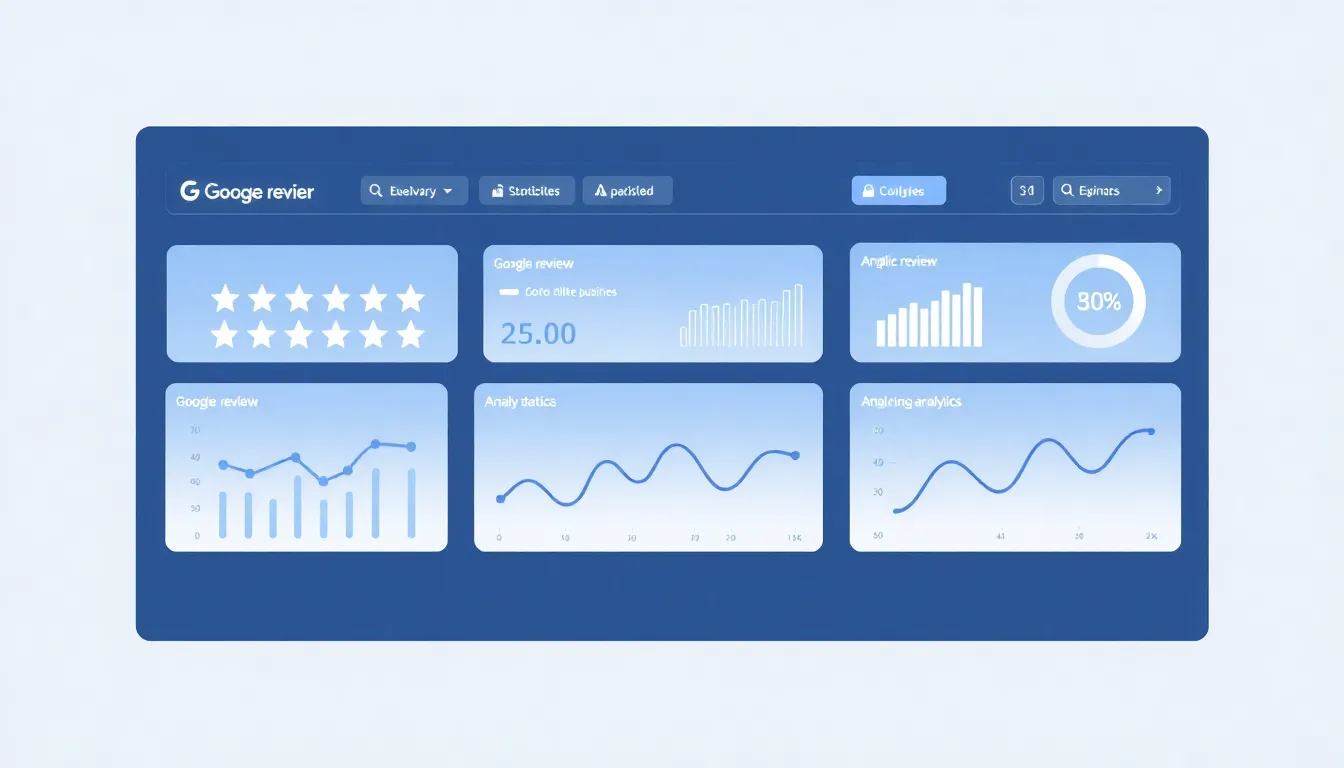
Reviews are a free, continuous focus group. The collective sentiment holds actionable data for improving food, service, and operations. The key is moving from reading individual reviews to analyzing aggregate patterns. Sentiment Analysis: This categorizes reviews as positive, neutral, or negative. A sudden dip in sentiment can alert you to an operational issue before it becomes a crisis, like a new server who needs training or a dish that is consistently poorly received. Complaint Categorization: Advanced tools can automatically tag reviews with themes like "Wait Time," "Food Temperature," "Noise Level," or "Pricing." This allows you to quantify problems. If 30% of negative reviews in a month mention "slow service," you have a data-backed reason to review your kitchen expediting or front-house staffing levels. Keyword Tracking: What are people praising most? Is it your "craft cocktails," "gluten-free options," or "weekend brunch"? These are your unique selling propositions. Highlight these keywords in your marketing materials and menu descriptions. If people love your "spicy margarita," consider making it a signature item. This data-driven approach links review management directly to operational ROI. Investing in a system that provides these analytics isn't an expense, it's an intelligence tool for business growth. For a deeper analysis, read our article on Review Management ROI: How Reviews Drive Revenue for Local Businesses.
The Impact of Reviews on Local SEO for Restaurants Google's local search
algorithm uses reviews as a major ranking factor for "restaurant near me" queries. It's not just about the star rating, but also the recency, quantity, and quality of the text. Key SEO Factors from Reviews:
- Keyword Relevance: When guests mention "best tacos in [City]" or "romantic patio dining" in their reviews, Google associates those phrases with your business. This helps you rank for those specific searches.
- Review Velocity: A steady stream of new reviews signals to Google that your business is active and relevant, which can boost your ranking in the local map pack.
- Local SEO Signals: Reviews often contain geographically relevant phrases ("in the downtown area," "near the park"), which strengthens your local prominence. To optimize for SEO, you can gently encourage reviews that mention specific menu items or amenities. For example, a table tent could say, "Loved our new summer cocktail menu? Mention your favorite drink in your Google review!" This seeds the content Google is looking for. The synergy between review generation and SEO is powerful, as detailed in our How Google Reviews Impact Local SEO Rankings.
Summary: Effective restaurant reputation management requires responding to all reviews promptly and professionally, using negative feedback as a blueprint for operational improvement, and analyzing review data to identify trends. A dedicated dashboard can reduce weekly management time from hours to minutes. This active management directly improves customer perception and supports local SEO efforts by providing fresh, keyword-rich content.
Tools and Templates for Restaurant Review Management
Implementing a winning strategy requires the right tools. The market offers solutions ranging from free manual methods to complete paid platforms. Your choice depends on your volume, budget, and time. For a small cafe, manual tracking and simple QR codes may suffice. For a multi-location group, automation is non-negotiable. The core functions you need are: Ease of Collection (making it simple for guests to post), Centralized Monitoring (seeing all reviews in one place), and Efficient Response (speeding up reply time). Many point-of-sale (POS) systems like Toast or Square offer basic review aggregation, but often lack advanced sentiment analysis or streamlined response workflows.
| Tool Type | Example Tools | Best For | Pros | Cons |
|---|
| Manual / Free | Google Search, Google Maps App | New or small restaurants with <5 reviews/week. | Free, direct. | Time-consuming, easy to miss reviews, no analytics. |
| POS-Integrated | Toast, Clover, Square | Restaurants that want basic data tied to sales. | Built into existing system, can link feedback to transaction data. | Features are often limited, analytics are basic. |
| Dedicated Review Platforms | OwnCrew Customer Ops, Birdeye, Podium | Restaurants serious about scaling reviews and using data for decisions. | Advanced collection (QR codes, automated review invites), deep analytics, sentiment tracking, AI-assisted reply suggestions. | Monthly subscription cost. |
| Social/Listings Managers | Hootsuite, Yext | Multi-location chains needing broad listing sync. | Manages profiles across many sites beyond Google. | Can be expensive, may lack restaurant-specific review features. | Essential Templates for Your Restaurant: 1. Server Request Script:
"Hi folks, it looks like you enjoyed the [specific dish]. We're a small team and love hearing what our guests think. If you have a quick moment later, sharing your thoughts on Google would mean the world to us. It helps other food lovers find us!" 2. Email Follow-Up Template (Online Orders):
Subject: How was your [Ordered Item] from [Restaurant Name]?
Body: Hi [Customer Name],
Thank you for ordering with us! We hope you loved your [Ordered Item].
Would you take 60 seconds to let us know how we did by leaving a review on Google? Your feedback helps us improve and lets others know about our food.
[Button: Leave a Google Review]
Thanks again,
The Team at [Restaurant Name] 3. Response Template to a Negative Review (Food Quality):
Hi [Reviewer Name],
Thank you for taking the time to leave feedback, and I'm genuinely sorry to hear your [Dish Name] wasn't prepared to your liking. That's not the standard we aim for, and I've shared your comments with our head chef to ensure it doesn't happen again. We take pride in our [Dish Type] and would appreciate the chance to make it right. I've sent you a private message to get a few more details. We hope to have you back for a much better experience.
Sincerely,
[Owner/Manager Name] Using a platform like OwnCrew Customer Ops can automate the creation of these personalized QR codes and follow-up emails, while its AI can generate context-aware reply suggestions based on the review's sentiment, saving significant managerial time. For a step-by-step plan on scaling quickly, revisit our foundational guide, Restaurant Google Review Strategy: A 90-Day Implementation Roadmap.
Summary: Selecting the right tools is critical for scaling review management. A comparison of manual, POS-integrated, and dedicated platforms shows that dedicated solutions offer the deepest analytics and automation, saving owners significant hours each week. Using standardized templates for requests, follow-ups, and responses ensures consistency and professionalism across all customer touchpoints.
References
- [1]Google Business Profile Help: Reviews — Google
- [2]Google Business Profile: Edit Your Profile — Google
- [3]Online Reviews Statistics and Trends — ReviewTrackers
- [4]Online Review Statistics — Podium
- [5]Restaurant Technology News — Nation's Restaurant News
- [6]Restaurant Industry Research — National Restaurant Association
Frequently Asked Questions
Is it against Google's rules to offer a free dessert for a Google review?+−
How often should I check and respond to new Google reviews for my restaurant?+−
A customer posted an unfair, angry review about a wait time we couldn't control. Should I delete it or argue with them?+−
What's more important for my restaurant's search ranking: having a 4.8-star rating with 50 reviews or a 4.5-star rating with 300 reviews?+−
Can I ask for reviews via text message after a customer dines with us?+−
Should I respond to every single positive review, or just the negative ones?+−
OwnCrew Customer Ops Plans & Pricing
Find the right plan for your business size and industry
View Plans & Pricing